************************************************************
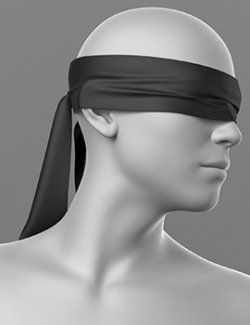
Blindfold
12/2025
ElenaShvets
If necessary, you can contact me via private messages on the Renderosity website.
************************************************************
-------------------------------------------------------------------------------
THE PRODUCT CONTAINS:
- Blindfold for Genesis 8
ARCHIVE CONTAINS FORMATS:
\People\Genesis 8 Female\Clothing\Elena_Shvets\Blindfold
- Blindfold.duf
\People\Genesis 8 Female\Clothing\Elena_Shvets\Blindfold\Iray Materials
- Blindfold_MAT_BLACK.duf (material)
- Blindfold_MAT_PINK.duf (material)
- Blindfold_MAT_RED.duf (material)
- Blindfold_MAT_GREEN.duf (material)
- Blindfold_MAT_BLUE.duf (material)
\Runtime\Textures\Elena_Shvets\Blindfold
- Blindfold_AO.png (textures)
- Blindfold_BaseColor_BLACK.png (textures)
- Blindfold_BaseColor_PINK.png (textures)
- Blindfold_BaseColor_RED.png (textures)
- Blindfold_BaseColor_GREEN.png (textures)
- Blindfold_BaseColor_BLUE.png (textures)
- Blindfold_Height.png (textures)
- Blindfold_Metallic.png (textures)
- Blindfold_Normal.png (textures)
- Blindfold_Roughness.png (textures)
TEXTURES (4096 x 4096 .png):
- Set textures PBR (_AO, _BaseColor, _Height, _Metallic, _Normal, _Roughness)
COLOR VARIATIONS:
The archive contains 5 color variations of the textures. All of them are presented in the preview.
- Pink
- Black
- Red
- Green
- Blue
If necessary, you can easily change the color of the model by changing it in the textures _BaseColor or apply a shade to the _BaseColor texture in the DAZ program settings.
INSTALLATION INSTRUCTIONS:
- Download the Genesis 8 avatar and upload model (Blindfold.duf) to the scene.
- Apply the desired color of the material.
- dForce is configured for the model, this will allow you to apply the model in any pose.
- Added a morph that allows you to adjust the fit of the mask in the eye area
- Added a morph that allows you to adjust the width of the bandage. This will allow you to apply the model over the hairstyle.
- Added a morph that allows you to adjust the position of the ribbons on the back of the head. This will allow you to correctly position
Creative success to you!
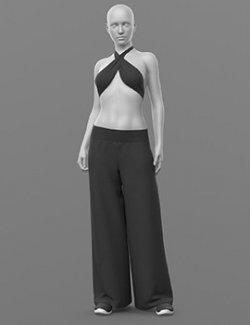
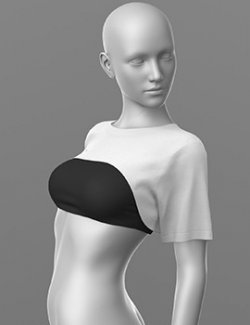
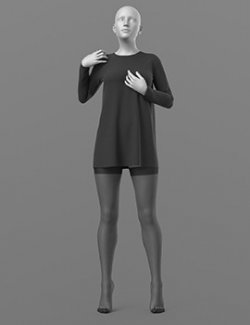
The set provides the prop dress with Blindfold!
-------------------------------------------------------------------------------
SYSTEM REQUIREMENTS:
Daz Studio v4
-------------------------------------------------------------------------------
This is a stand alone item, complete unto itself
-------------------------------------------------------------------------------
Thank you for purchasing Blindfold.
Compatible figures: Genesis 8 Female
Software: Daz Studio 4