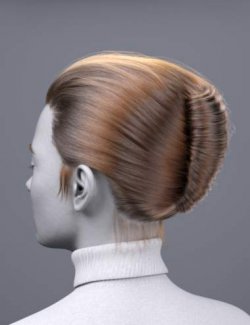
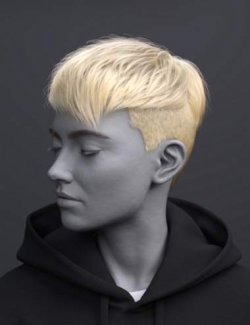
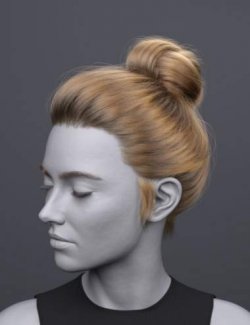
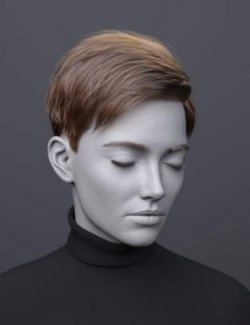
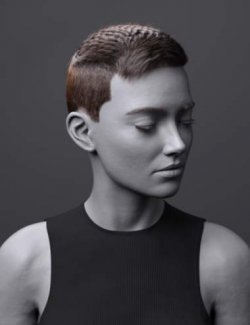
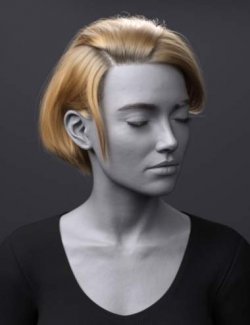
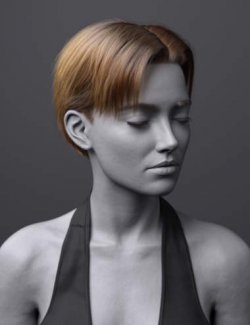
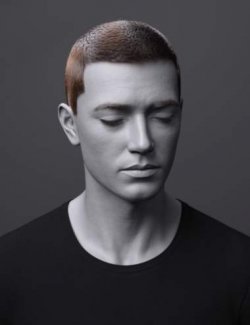
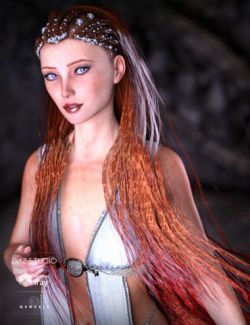
dForce FV Sleek Side Part Hair for Genesis 9 channels disciplined grooming and timeless structure with a sharply defined, side-combed silhouette. Inspired by classic styling and mid-20th-century formality, this hairstyle features a clean side part, subtly tapered sides, and a smooth, lightly slicked finish that reads controlled and confident. Built with dForce strand-based hair technology and enhanced by the OmniHair Shader, this hair delivers realistic strand flow, natural sheen, and clean breakup without losing its structured shape. The slightly oily, combed texture adds authenticity and weight, giving the hair a grounded, lived-in realism that holds up beautifully in close-up renders and cinematic lighting. A selection of shaping morphs and material presets allows easy adjustment of volume, and surface finish—ranging from freshly groomed and polished to softer, worn-in refinement. This makes it ideal for historical-inspired characters, formal roles, military or uniformed looks, noir aesthetics, or modern characters who favor precision and restraint.
What's Included and Features
- dForce FV Sleek Side Part Hair for Genesis 9: (.DUF)
- FV Sleek Side Part Hair Base:
- EarFrontLeft Move Back-Front
- EarFrontLeft Move Right-Left
- EarFrontLeft Size Back-Front
- EarFrontRight Move Back-Front
- EarFrontRight Move Left-Right
- EarFrontRight Size Back-Front
- Forehead Depth In-Out
- Forehead Width In-Out
- HeadLeft Width In-Out
- HeadRight Width In-Out
- Head Depth In-Out
- Head Height In-Out
- Head Scale In-Out
- Head Size In-Out
- Head Width In-Out
- Neck Depth In-Out
- Neck Width In-Out
- FV Sleek Side Part Hair Hair:
- Base ClumpingBias Root-Tip
- Base Length Shorter-Longer
- Base Noise More
- Base Volume Less-More
- BaseStrays Move In-Out
- Sides Noise More
- Sides Volume Less-More
- Supported Shapes:
- Other Shapes may be supported in Daz Studio by Auto-follow
- 34 Materials
- Textures Include:
- 02 Texture Maps (8192 x 8192)
- Daz Studio Iray Material Presets (.DUF)
Required Products:
Compatible Figures:
Genesis 9, Genesis 9 Male
Compatible Software:
Daz Studio 2025 / 6.X, Daz Studio 4.24
Install Types:
DazCentral, Daz Connect, DIM, Manual Install