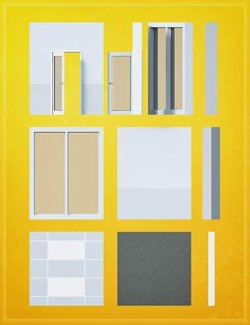
LI The Magic Rug - Columns 01

LI The Magic Rug - Columns 01
LI The Magic Rug - Columns 01 preview image 0LI The Magic Rug - Columns 01 preview image 1LI The Magic Rug - Columns 01 preview image 2LI The Magic Rug - Columns 01 preview image 3LI The Magic Rug - Columns 01 preview image 4LI The Magic Rug - Columns 01 preview image 5LI The Magic Rug - Columns 01 preview image 6LI The Magic Rug - Columns 01 preview image 7LI The Magic Rug - Columns 01 preview image 8LI The Magic Rug - Columns 01 preview image 9LI The Magic Rug - Columns 01 preview image 10LI The Magic Rug - Columns 01 preview image 11LI The Magic Rug - Columns 01 preview image 12LI The Magic Rug - Columns 01 preview image 13LI The Magic Rug - Columns 01 preview image 14LI The Magic Rug - Columns 01 preview image 15LI The Magic Rug - Columns 01 preview image 16LI The Magic Rug - Columns 01 preview image 17LI The Magic Rug - Columns 01 preview image 18LI The Magic Rug - Columns 01 preview image 19LI The Magic Rug - Columns 01 preview image 20LI The Magic Rug - Columns 01 preview image 21LI The Magic Rug - Columns 01 preview image 22LI The Magic Rug - Columns 01 preview image 23LI The Magic Rug - Columns 01 preview image 24LI The Magic Rug - Columns 01 preview image 25LI The Magic Rug - Columns 01 preview image 26LI The Magic Rug - Columns 01 preview image 27LI The Magic Rug - Columns 01 preview image 28LI The Magic Rug - Columns 01 preview image 29LI The Magic Rug - Columns 01 preview image 30LI The Magic Rug - Columns 01 preview image 31LI The Magic Rug - Columns 01 preview image 32LI The Magic Rug - Columns 01 preview image 33LI The Magic Rug - Columns 01 preview image 34LI The Magic Rug - Columns 01 preview image 35LI The Magic Rug - Columns 01 preview image 36LI The Magic Rug - Columns 01 preview image 37LI The Magic Rug - Columns 01 preview image 38LI The Magic Rug - Columns 01 preview image 39LI The Magic Rug - Columns 01 preview image 40LI The Magic Rug - Columns 01 preview image 41LI The Magic Rug - Columns 01 preview image 42LI The Magic Rug - Columns 01 preview image 43LI The Magic Rug - Columns 01 preview image 44LI The Magic Rug - Columns 01 preview image 45LI The Magic Rug - Columns 01 preview image 46LI The Magic Rug - Columns 01 preview image 47LI The Magic Rug - Columns 01 preview image 48LI The Magic Rug - Columns 01 preview image 49LI The Magic Rug - Columns 01 preview image 50LI The Magic Rug - Columns 01 preview image 51LI The Magic Rug - Columns 01 preview image 52LI The Magic Rug - Columns 01 preview image 53LI The Magic Rug - Columns 01 preview image 54LI The Magic Rug - Columns 01 preview image 55LI The Magic Rug - Columns 01 preview image 56LI The Magic Rug - Columns 01 preview image 57LI The Magic Rug - Columns 01 preview image 58LI The Magic Rug - Columns 01 preview image 59LI The Magic Rug - Columns 01 preview image 60LI The Magic Rug - Columns 01 preview image 61LI The Magic Rug - Columns 01 preview image 62LI The Magic Rug - Columns 01 preview image 63LI The Magic Rug - Columns 01 preview image 64

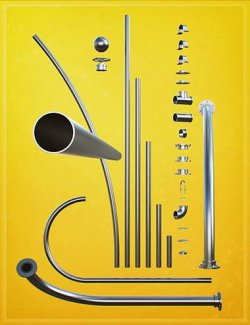
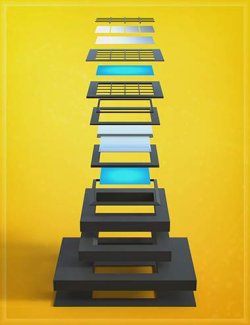
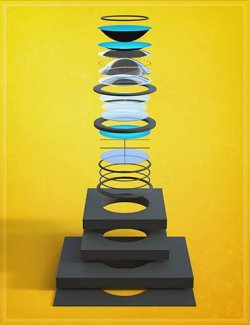
LI The Magic Rug is a large modular construction, prop and shader surfacing system built around making an asset's UVs as seamless as possible, so materials can be shared and used across the entire product line. The system is designed to let you mix, match, retexture, and expand using a foundational library of assets, textures, and preset functions that all work together.

The LI The Magic Rug X - Columns 01 is an off-shoot product too but it was a took on a life of its own and beast of an asset pack indeed.

It started off as an industrial pack inline with the rest of the LI TMR X - Contruction 'Structual' to add some assets but I wasn't happy leaving it like that and decided to expand upon the assets and take them in an alternative direction and added futher assets and textures to give it more of an ancient or otherworldly feel to it as well.
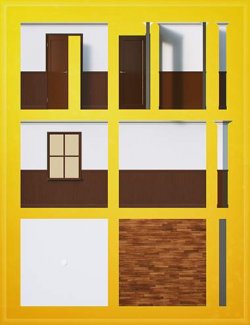
Becuase there are many other walls and floors in the other packs, I made sure these are different and more specific.

The idea is to make as much of it interchange as possile. I guess the negative side of trying to keep an assets uv seam as mininal as possible is the simplistic nature of the geomtry required but I did try to branch out a little from that in this project with the rock wall and lights. I've learned lots along the way and have certainly done my fair share of uv mapping now.

High poly (HP) Mid poly (MP) Low poly (LP) and Super Dense (SD) - is always relative but I've used the naming structure throughout The Magic Rug range to differentiate between the mesh components.

The LP versions are best for making large scaled scenes and the HP when you want to get up a little closer or add displacement. That being said, displacement maps, if you are going yo use them will servve you better if edges will be hidden or if you can Sud-D the mesh....of which many of the HP meshes and even some of the LP meshes can be.

Primarly though, the system was created so you can build your own large scale scenes, texture them with whatever materials you like.

I guess there's no limit to the number of subsets assets that could be derived from this kit.

----------------

NOTES:

Across the whole product range, the primary surface name on each asset is: LI The Magic Rug - Metal
There are some exceptions.

At least 90% of the glass materials used across the The Magic Rug series are solid thickness manifold geometry with a double sided material group.

LI The Magic Rug - Glass (with UVs and Normal facing forward)
LI The Magic Rug - Glass Back (with UVs facing forward and Normals facing backwards)

  • Textures include
    • 84 x Seamless & Non Seamless Textures: Bump, Color, Displacement, Gloss, Metallic, Normal, Roughness and Opacity Maps (4096 x 4096)
  • Compatible Software:

    Daz Studio 4.24

    Install Types:

    DazCentral, Daz Connect, DIM, Manual Install
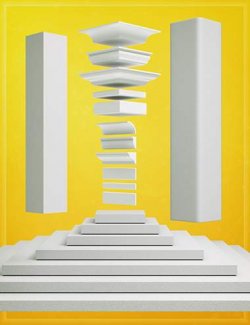
    Daz3d
    LI The Magic Rug - Columns 01 | 3D Models for Daz Studio