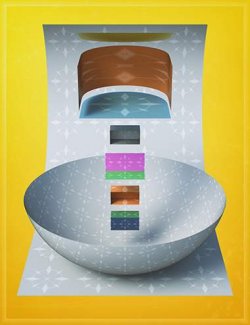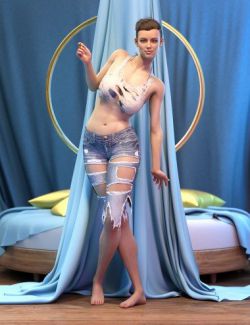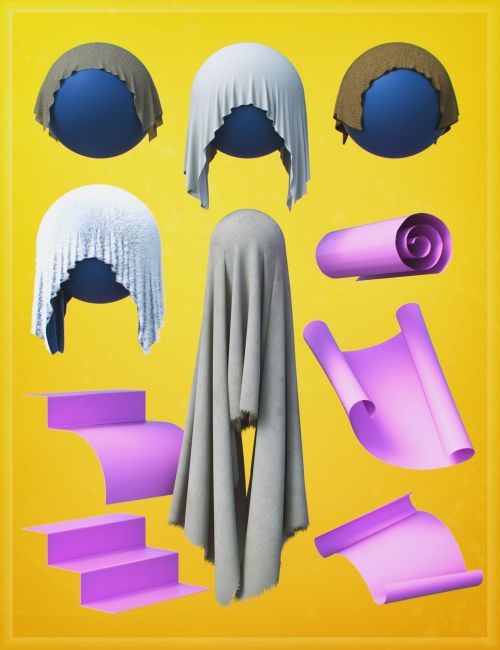
The LI The Magic Rug - Fabrics 01 is part of a large modular construction props and shader system built around making an asset's UV as seamless as possible so materials can be shared and used across the product line. Mix, match, retexture, and expand using a foundational library of assets, textures, and preset functions.
A set of rigged fabric assets that can have a very furry layer applied. The one single fur asset will apply to all fabric assets in this pack.
Because its strand based and deforce compatible, there's so much you will be able to do with it, imagery and texture-wise. Rugs, carpets, throws, etc.
NOTES:
Across the whole product range, the primary surface name on each asset is: LI The Magic Rug - Metal
There are some exceptions, and this is one where the primary surface name is:
LI The Magic Rug - Fabric
Product can be complemented with:
LI Strand-Based Omni Suite
https://www.daz3d.com/li-strand-based-omni-suite
What's Included and Features
- LI The Magic Rug D - Fabrics 01:
- Fabric Fur Ver 1
- Fabric Sheet Ver 1
- Fabric Tarp Ver 1
- Fabric Throw Ver 1
- Fabric Weaved Ver 1
- Scene Subsets:
- Furry Throw KIT 01
- Pose Controls for Fabric Sheet / Throw / Ver 1:
- Curl Ends Down or Up Both/Left/Right
- Curve Down or Up Both/Left/Right
- Curve Ends Down or Up Both/Left/Right
- Curve S Bend
- Loft Over Left/Right
- Loop to Circle
- Rolled Up
- Scale X Length
- Scale Y Thickness
- Scale Z Width
- Side-Side Both/Left/Right
- Twist Back-Forth Heavy
- Twist Back-Forth Soft
- Pose Controls for Fabric Tarp Ver 1:
- Curl Ends Down or Up Both/Left/Right
- Curve Down or Up Both/Left/Right
- Curve Ends Down or Up Both/Left/Right
- Curve S Bend
- Loft Over Left/Right
- Loop to Circle
- Rolled Up
- Scale X Length
- Scale Y Thickness
- Scale Z Width
- Side-Side Both
- Side-Side Left/Right
- Twist Back-Forth Heavy
- Twist Back-Forth Soft
- Morphs & Pose Controls for Fabric Weaved Ver 1:
- Add Border Inflated
- Add Border Wider
- Add Thicker All
- Add Thicker Border
- Add Thicker Topside
- Curl Ends Down or Up Both/Left/Right
- Curve Down or Up Both/Left/Right
- Curve Ends Down or Up Both/Left/Right
- Curve S Bend
- Loft Over Left/Right
- Loop to Circle
- Rolled Up
- Scale X Length
- Scale Y Thickness
- Scale Z Width
- Side-Side Both/Left/Right
- Sideways Curl to Circle
- Sideways Curl to Semi
- Sideways Fold in Half
- Twist Back-Forth Heavy
- Twist Back-Forth Soft
- Materials Iray:
- Fabric Sheet to Tarp 01 (Opa)
- Fabric Sheet to Tarp 01 (Sim)
- Fabric Sheet to Tarp 01
- Fabric Sheet Ver 1 (Sim)
- Fabric Sheet Ver 1 Default
- Fabric Sheet Z Cotton Fine 00-03
- Fabric Throw to Tarp (Opa)
- Fabric Throw to Tarp (Sim)
- Fabric Throw Ver 1 (Sim)
- Fabric Throw Ver 1
- Fabric Weaved Ver 1 (Sim)
- Fabric Weaved Ver 1
- Fabric Fur Ver 1 (Sim)
- Fabric Fur Ver 1
- Fabric Tarp Ver 1 (Opa) DOW 01
- Fabric Tarp Ver 1 (Opa) DOW 02
- Fabric Tarp Ver 1 (Opa) DOW 03
- Fabric Tarp Ver 1 (Sim) Base
- Fabric Tarp Ver 1 Base
- Textures Include:
- 73 x Seamless Textures: Bump, Color, Grey, Normal and Opacity Maps (4096 x 4096)
- 06 x Textures: Opacity Maps (4096 x 4096)
- Daz Studio Iray Material Presets
Compatible Software:
dForce Cloth, Daz Studio 4.24
Install Types:
DazCentral, Daz Connect, DIM, Manual Install