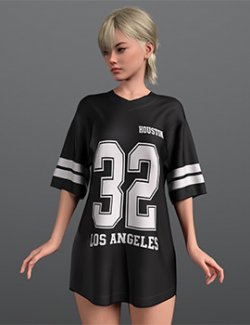
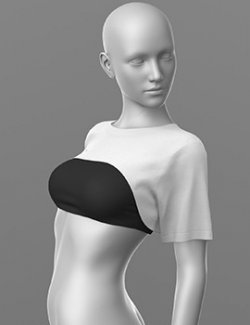
T-Shirt
THE PRODUCT CONTAINS:
- T-Shirt for Genesis 9
TEXTURES (4096 x 4096 .png):
- Set textures PBR (AO, BaseColor, Height, Metallic, Normal, Roughness, Mask)
COLOR VARIATIONS:
The archive contains 2 color 6 options variations of the textures. All of them are presented in the preview.
- Black (Inscription)
- White (Inscription)
- Black (Clean)
- White (Clean)
- White (Inscription Color)
- Color
If necessary, you can easily change the color of the model by changing it in the textures _BaseColor or apply a shade to the _BaseColor texture in the DAZ program settings.
INSTRUCTION MANUAL:
Download the Genesis 9 avatar and upload model to the scene.
Apply the desired color of the material.
Creative success to you!
NOTE :
- dForce is configured for the model, this will allow you to apply the model in any pose.
- The Corset model has a configured morph for expansion in the crotch area. This will allow wearing the corset over tights
- For the model, a morph has been set up that allows you to adjust the length and width. This will allow the T-shirt to be worn over pants, shorts, skirts, and the like.
- The model has many presets for fitting to your avatar's individual features.
- For the model, materials have been set up that allow you, using a mask, to change the color of the inscriptions or the main color of the T-shirt. Just apply the desired shade in the color settings. Please note, only the base color is displayed in the workspace.