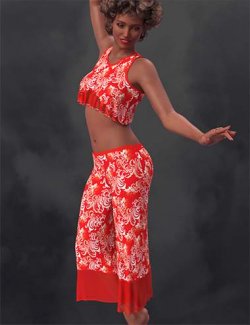
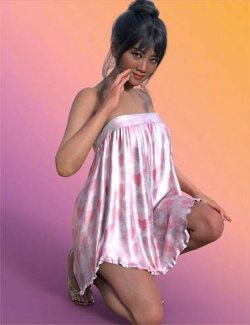
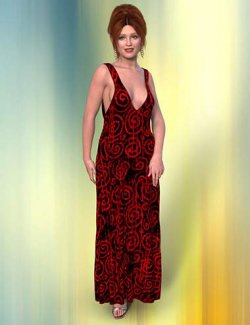
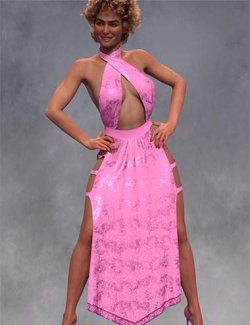
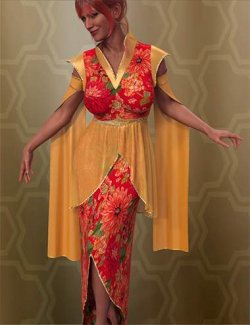
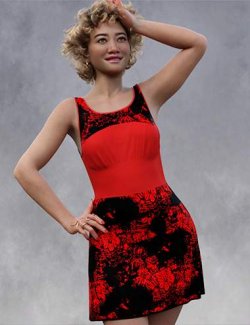
The Sisters in Chaos proudly present Angie, a dForce enabled loose pants suit for Genesis 9. Angie generally sims in one frame, making it very easy to use in your stories. Thirteen unique Iray textures for Angie offer options from everyday to club wear . The pair of Any Color options to allows Angie to fit effortlessly into any scene.
A handful of adjustment morphs are provided to help with difficult poses.
So please add Angie to Genesis 9's closet and see how much fun Our Dear Girl can get into!
The Standard Invisible floor is included to make floor poses easier. Chairs and such will probably require that item to be granted Static Surface via Edit > Object > Geometry > Add dForce Modifier: Static Surface. It may be easier to resize the Invisible Floor and jockey it into place at the top of the chair's seat.
To use the Any Color options, be sure Angie is chosen in the Surfaces palette, find Base Color (it's near the top) then click gray bar and choose a color you prefer. You can apply the color to all parts of the item at once, or you can select each individual part and make it a different color. Have all the fun you can!
As ever, not all poses and body shapes work with dynamics. Should a limb pass thru the torso or another body part, or if the bend is too tight, Explosions will happen. Slight pose modifications will cure the latter, but if a body part passes thru another, that pose just can't be used with dynamics.
What's Included and Features
- SIC Angie dForce Pants Suit for Genesis 9:
- Clothing Pieces:
- SIC Angie
- 9 Included Morphs
- Supports Genesis 9 Shapes
- Textures Include:
- 21 Texture, Bump, Displacement, Normal, Reflection, Specular, and Transparency Maps (4096 x 4096)
- Texture Templates available here: \Runtime\Textures\SIC\AngieGNine\Angie UVs.png
- 22 Iray Material Presets
Compatible Figures:
Genesis 9, Genesis 9 Female
Compatible Software:
Daz Studio 4.24, dForce Cloth, Daz Studio 2025 / 6.X
Install Types:
DazCentral, Daz Connect, DIM, Manual Install