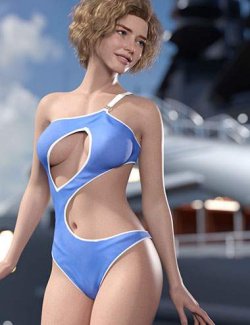
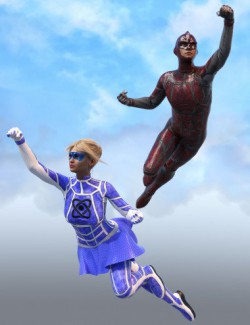
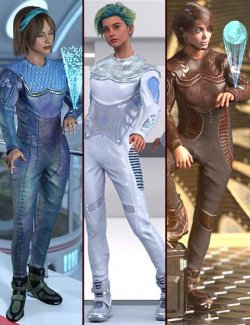
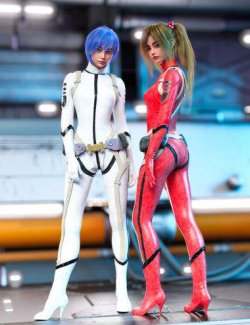
Turn any Genesis 9 character you already own into a skinsuit.
That is the whole idea behind this product. Load the suit onto your figure, click once, and it takes on that character's skin - maps, shader, tiling, everything. The character you bought last week becomes a second-skin bodysuit that matches the body underneath exactly, with an open back and full Golden Palace support built in. No hand-building surfaces, no hunting for the right texture, no guessing which UV set to use.
ONE-CLICK SKIN MATCHING
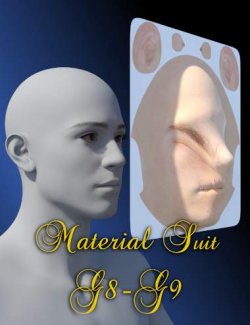
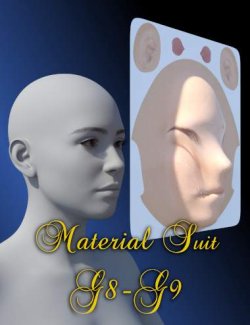
"3-Copy Skin" reads the Genesis 9 figure the suit is fitted to and copies that character's skin onto the suit. It handles cross-shader copies properly: if the figure runs PBRSkin and the suit runs Iray Uber, the shader is switched first and the surface is reset before the copy, so you never end up with half-applied textures bleeding through from the previous skin.
Where the figure carries a Golden Palace geoshell, the matching GP materials are copied surface by surface with their cutout detail intact, and UV sets are resolved by name rather than by index, so nothing lands on the wrong UV. If Golden Palace is not installed, every other surface still copies normally and the script tells you exactly which ones it had to skip.
WHAT YOU GET
- Genesis 9 conforming skinsuit with an open back, covering the full body including head, hands and feet
- 11 surfaces, five of them dedicated Golden Palace zones: GP_Torso, GP_Torso_Back, GP_Vagina, GP_Labia_Minora, GP_Rectum
- 2 UV sets: Base and Golden Palace
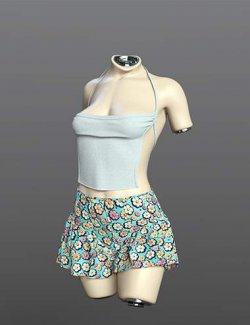
- 3 display morphs: DropDown 1 and DropDown 2 (the suit fallen on the floor) and HangUp (the suit hanging), so you can stage the garment in a scene without a figure inside it
- 2 corrective mouth morphs that run automatically, driven by the figure's jaw
- 3 utility scripts, an illustrated Read Me and a step-by-step tutorial
Because the suit is a normal conforming figure, ordinary Genesis 9 clothing layers straight over it — set the outer garment's Collision Item to the suit and it drapes over the second skin instead of through it.
NO LIP STICKING
The two mouth corrective morphs are ERC-linked to Jaw Open and Jaw Open Wide. When your character opens their mouth, the suit's lips separate with it. There is nothing to dial and nothing to remember.
HOW TO USE
1 - Load Suit: select Genesis 9 in the scene, double-click, the suit loads fitted.
2 - Select Suit: one click selects the suit in the scene, so you do not have to hunt for it in a busy Scene tab.
3 - Copy Skin: one click copies the parent figure's skin and shader onto the suit.
IMPORTANT: SET THE DISPLAY MORPHS BEFORE YOU POSE THE FIGURE
This is the one rule that matters. DropDown 1, DropDown 2 and HangUp are sculpted against the base Genesis 9 rest shape. If you pose Genesis 9 first and then drag one of those sliders up, the morph is applied on top of the already-posed skinning and the suit twists - crossed sleeves, tangled fingers, stretched ribbons of geometry.
Nothing is actually broken when that happens. Set the slider back to zero and the suit snaps back to normal.
The safe order is always:
1. Leave Genesis 9 in its default pose, or zero the pose first
2. Dial DropDown or HangUp to the value you want
3. Hide the figure, then frame and light the shot from there
If a suit in an existing scene already looks twisted, zero the morph, zero the figure's pose, then dial the morph again.
REQUIREMENTS
DAZ Studio 4.20 or newer with Genesis 9 Starter Essentials. Rendered in Iray.
Works in DAZ Studio 6.x as well. The figure, the morphs and all three scripts run there unchanged, so you do not need to keep an older install around for this product.
Golden Palace for Genesis 9 is optional. The suit's GP surfaces and UV set are there either way; with Golden Palace installed the copy script also matches its materials, and without it the rest of the suit still works normally.
The promotional renders use a solid metallic shader on both the figure and the suit, so what you see is the shape and the fit, not a particular skin.
A NOTE ON THE DROP AND HANG MORPHS
These three morphs are a convenience for staging an empty garment in a scene, not a cloth simulation. Because they are sculpted on the base Genesis 9 shape, characters with strongly different proportions - heavy body morphs, extreme height, non-human shapes - will not get folds that sit correctly, and in some scenes DAZ Studio may report an error while the morph loads. Dial the morph back to zero and the suit returns to normal; nothing else in the product is affected.
If you need a drape that is genuinely correct for one specific character, the reliable route is to export the fitted suit as OBJ, run the simulation in Marvelous Designer against that character's body, and bring the result back into DAZ Studio as a morph or as a prop. That takes a few minutes and gives you a fall that actually belongs to your figure instead of to the base shape.