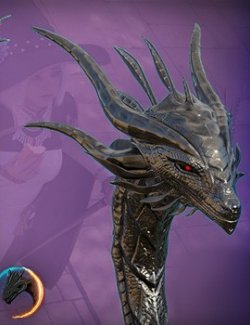
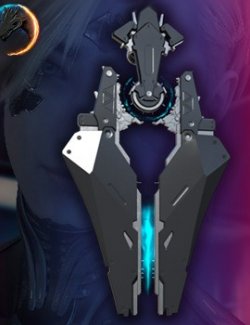
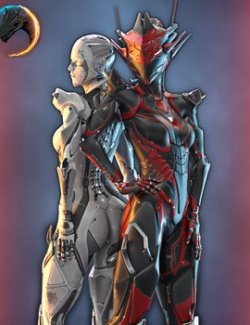
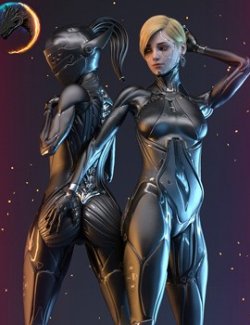
Cyber head implant and additional internal components.
---------
The "!DOW HUE" coloring only works with the "Rualu Head DVN" and "+ Head VN" components, with the exception of "Ru_VN_Head FR HC"!
The "+ Head IN", "Rualu_Head G8.1F", and "Rualu_Head G8.1F" components do not work with "!DOW HUE".
Additional exceptions to the use of "!DOW HUE" and "!DefMat Select":
RL_HH_G8F
RL_HH_G81F
Character model Genesis 8 Female, Genesis 8.1 Female.
---------
Before using "+ Head VN" and "+ Head IN" components, you must apply "Rualu Head G8F/G8.1F" to your character and select "Rualu Head G8F/G8.1F"
---------
You can assign materials from other characters to the Rualu Head G8F / G8.1F in three ways:
1) If the other character's materials are saved correctly.
2) Save the other character's material manually using "File -> Save As -> Material(s) Preset" and use the saved file on the Rualu Head.
3) Copy the material manually.
+ Head IN" components are recommended for use with "Rualu Head" specifically when using another character's skin textures.
Unfortunately, I couldn't find any information on creating a script to transfer multiple materials from one object to another and assign the correct UV mapping.
If you know how to do this, please share.
---------
When using the "Rualu Eyelashes" and "Rualu Tear" components, they do not hide the "Eyelashes" and "Tear" models pre-installed on the G8F\G8.1F.
Removing the original "Eyelashes" and "Tear" models is at your discretion.
---------
If you are using the "Rualu Head G8F/G8.1F" together with one of the "Body Kit Torso", use the "RH_BodyKit Fix Hide" option on the "Rualu Head", this will solve the problem of geometry intersection in the neck region.
100% compatibility with other characters' body morphs is not guaranteed!
Rualu products are compatible with my other Body Kit products, such as:
(TA) Aguara Body Kit for Genesis 8 and 8.1 Female
(TA) Roc Body Kit for Genesis 8 and 8.1 Female
---------
Please feel free to leave feedback and what content you would like to see for Daz Studio.
---------
Installation:
Extract the contents of "Rualu body kit (Head).zip" to the daz3d content library.
The files can be found in its respective locations within daz3d content library.
For example:
C:\Users\Public\Documents\My DAZ 3D Library\data\Daz 3D\Genesis 8\Female\UV Sets\TarkArk\Base
C:\Users\Public\Documents\My DAZ 3D Library\data\Daz 3D\Genesis 8\Female\Morphs\TarkArk\RualuBodyKit
C:\Users\Public\Documents\My DAZ 3D Library\data\TarkArk\RualuBodyKit
C:\Users\Public\Documents\My DAZ 3D Library\People\Genesis 8 Female\Characters\TarkArk\Rualu kit
C:\Users\Public\Documents\My DAZ 3D Library\Runtime\Textures\TarkArk\Rualu kit