AIRE MOTION - AI ANIMATION FOR DAZ STUDIO
Standalone Local AI Video Creation + Motion Composer - Integrates fully with AIRE
20% OFF - AIRE MOTION 1.0
Introducing AIRE Motion, a new way to bring your images to life without leaving your DAZ Studio creative environment.
Special introductory price: $48 - 20% off the regular $60 price for a limited time.
AIRE Motion is a complete standalone product. You do NOT need to own the original AIRE image renderer to use it.
Already own AIRE? AIRE Motion integrates directly with AIRE v1.2.2, allowing you to send your finished AIRE images straight into the animation engine.
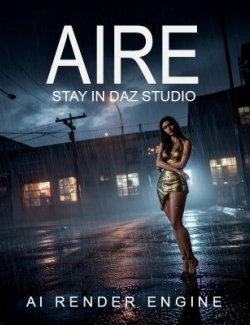
Don't own AIRE yet? Discover the original AI Render Engine for DAZ Studio here:
https://www.renderhub.com/dreamlight/aire-ai-render-engine-daz-studio
AIRE is optional and sold separately. AIRE Motion works independently.
------------
YOUR IMAGES. NOW ALIVE.
------------
You've spent time creating the perfect image. The scene, the pose, the mood, the camera, the lighting. But what if that beautiful still image was only the beginning?
What if the character could move? The camera could glide? The car could race through the scene? The wind could catch the hair, fabric and atmosphere?
Welcome to AIRE Motion.
Choose an image. Describe the movement you want. Select a cinematic preset or guide the animation entirely with your own words. Let the locally running AI engine transform your still image into a moving MP4 video.
Create people in motion, stylish fashion shots, vehicle action, moody environments, cinematic camera moves, subtle gestures, dancing and more.
Then combine your clips into a finished video with the included AIRE Motion Composer, right from DAZ Studio.
Your image. Your direction. Your movie.
No paid rendering credits. No subscription. Local AI processing on your own compatible hardware after setup.
---------
AI ANIMATION INSIDE DAZ STUDIO
---------
AIRE Motion brings image-to-video creation into a dedicated DAZ Studio interface, with local ComfyUI and Wan 2.2 14B handling the AI processing behind the scenes.
Start with an existing PNG, JPG or JPEG. It can be a traditional Iray render, another DAZ Studio image, a finished AIRE image or an image from another creative workflow.
AIRE Motion is designed for image-to-video animation, not for directly keyframing, rigging or physically simulating the original DAZ scene. The AI interprets the source image and the motion instructions to generate new video frames.
That is where the excitement begins: a single image can become the starting point for a completely new cinematic moment.
SEVEN CINEMATIC MOTION PRESETS
Seven built-in, illustrated Motion Presets help you get started quickly. Every preset has its own creative motion direction, and you can add your own Motion Direction for more control.
- Subtle Life - restrained, lifelike gestures and gentle secondary movement
- Subtle Scene Glide - slow cinematic camera travel through atmospheric scenes
- Car Chase - moving vehicles, speed and energetic action
- Sensual Motion - slow, expressive movement and gentle camera motion
- Club Dancing - rhythmic dancing and body movement
- Sexy Heels Walk - confident high-heel walking motion
- Fashion Posing - dynamic fashion poses and camera movement
You can also choose None and rely entirely on your own motion instructions.
Preset descriptions guide the AI; they are not rigid animations or guaranteed actions. Results vary with the source image and the chosen settings.
----------
DIRECT THE ACTION WITH WORDS
----------
Use Motion Direction to explain what should happen inside the shot.
Examples:
The woman walks toward the camera while her hair moves naturally in the wind.
The sports car accelerates along a rain-soaked road with reflections and cinematic camera tracking.
The camera glides slowly forward through the empty hall while dust drifts in the sunlight.
The model changes pose and turns slightly toward the camera.
Add an optional Avoid / Negative Motion Direction to guide the engine away from unwanted actions or artifacts.
You can generate additional variations from the same source and settings using Re-render Video.
Short, clear motion directions and good-quality source images generally give the engine a stronger starting point. AI motion remains interpretive, so not every movement will be reproduced exactly.
FROM STILL TO CINEMATIC
AIRE Motion uses Wan 2.2 14B image-to-video AI with a high-noise / low-noise generation workflow and locally installed acceleration components.
It can create subtle, atmospheric movement or more energetic sequences, depending on the image and your direction.
For the strongest results, think in cinematic shots rather than trying to create an entire uninterrupted movie in a single generation.
AIRE Motion is optimized for short clips around five seconds. Three-second clips are also an excellent choice for detailed cinematic shots and fast-paced edits.
Longer durations may be available, but AI-generated motion can become less predictable as clips get longer. Characters may repeat or reverse movements, and details may drift or change. For longer finished videos, generate several short shots and use Composer to assemble them.
--------
SMOOTH 24 / 30 FPS ANIMATION
--------
Select the frame-rate treatment that suits your project:
- 16 FPS - Native: original Wan-generated frame rate
- 24 FPS - Smooth Interpolation: smoother playback with RIFE interpolation
- 30 FPS - Smooth Interpolation: fluid cinematic animation with RIFE interpolation
- 24 FPS - Slow Motion: interpolated slow-motion playback
- 30 FPS - Slow Motion: interpolated slow-motion playback
The slow-motion options extend the playback duration to approximately twice the original clip length, creating a half-speed look.
RIFE interpolation creates additional intermediate frames. It improves temporal smoothness, but it cannot guarantee that an incorrect or unstable original motion will become physically perfect.
---
FLEXIBLE FRAMING AND RESOLUTION
---
Choose the shape of your next shot:
- 16:9 Landscape
- 9:16 Portrait
- 1:1 Square
- 3:4 Portrait
Choose output size using a short-edge setting from 480 to 1088 pixels, in compatible 16-pixel steps.
For example, the approximately 1080p 16:9 setting generates a 1936 x 1088 video. This is a near-Full-HD output format, not native 4K video generation.
AIRE Motion adapts the source image to your chosen framing using crop and scaling rather than stretching it out of proportion.
Higher resolutions can deliver beautiful detail in faces, hair, clothing, reflections, rain, atmospheric effects and surfaces. They also require substantially more processing time and GPU resources.
-
AIRE MOTION COMPOSER - INCLUDED
-
Creating individual clips is only half the fun. AIRE Motion also includes the Motion Composer, a video-assembly workspace launched from DAZ Studio.
Create your shots, open Composer, arrange them, add a soundtrack and export a complete MP4 video.
Composer includes:
- Combine up to eight MP4 clips into one finished video
- Change the playback order of your clips
- Add and remove clips without modifying the originals
- Preview individual clips in your Windows video player
- Choose a soundtrack from 20 included MP3 music and ambience tracks
- Or use your own MP3, WAV or M4A audio file
- Preview the selected audio track
- Optional soundtrack fade-out at the end
- Save and reload Composer project files for later editing
- Automatic timestamped MP4 export to the AIRE Motion Videos folder
- Automatically open the completed video for playback
Composer works best with matching frame rates and compatible video files. Clips with different resolutions can be resized/cropped during export to a common format. If the files are already compatible, Composer can avoid unnecessary video re-encoding.
Composer is a straightforward clip-assembly tool, not a replacement for a full nonlinear editor. It does not automatically create seamless character motion or transitions between separately generated shots.
Create. Combine. Add music. Bring it to life.
--
20 INCLUDED SOUNDTRACKS
--
AIRE Motion includes a ready-to-use selection of 20 MP3 soundtracks for the Composer.
Choose music or ambience to give your completed video a mood without having to search for audio before getting started.
You can also select your own supported audio files, so the soundtrack can match your own artistic direction.
-
STANDALONE. SEAMLESS WITH AIRE.
-
AIRE Motion is its own product, with its own setup, image-to-video interface, video output folders and included Composer.
You do NOT need to purchase the original AIRE to run AIRE Motion.
If you also own AIRE v1.2.2, however, the two products work together:
- Open AIRE Motion… launches the separate animation interface from AIRE
- Animate This Render… passes the image currently displayed in AIRE's result window directly to Motion
That means you can build a scene in DAZ Studio, enhance or edit the image with AIRE, and continue into AIRE Motion to bring the result to life.
AIRE and AIRE Motion remain separate products and use separate AI workflows and model sets.
---
YOUR GPU. YOUR CREATIONS.
NO RENDER CREDITS.
---
AIRE Motion runs its video AI workflow locally through your own ComfyUI installation. Once the required components are installed, ordinary animation generation does not need a paid cloud rendering account, credits or subscriptions.
You choose when to create, what to animate and how many variations to explore, subject to your hardware performance and available storage.
No per-video token bill. No monthly rendering-credit balance.
-------
LOCAL PERFORMANCE
-------
Video generation is computationally intensive, particularly at high resolutions. Time depends on the GPU, available VRAM, video size, duration, frame-rate mode and complexity of the scene.
AIRE Motion was developed and production-tested using an NVIDIA RTX 4090 with 24 GB VRAM.
For illustration, a five-second 512 x 512 video with smooth interpolation completed in approximately 34 seconds on that development system. A five-second 1600 x 900 animation took around 400 seconds in another test. These are examples from one machine, not guaranteed performance figures.
Shorter clips and smaller output sizes generally render faster. High-resolution cinematic clips can take several minutes or more.
The Wan 2.2 14B workflow is demanding. We strongly recommend a high-memory NVIDIA RTX GPU for the best experience. We have not established equivalent performance or compatibility across every lower-memory GPU configuration.
----------
SYSTEM REQUIREMENTS
----------
- Windows PC; Windows 11 was used for production development and testing
- DAZ Studio with support for the supplied encoded Motion scripts; developed and tested with DAZ Studio 4.23 and 6
- Local ComfyUI installation, running and accessible on your PC
- Compatible NVIDIA RTX GPU using CUDA, with substantial VRAM recommended for the Wan 2.2 14B workflow
- Sufficient system RAM and free disk space for the local video AI models, temporary video frames and output files
- Internet connection for initial setup and downloading any missing AI components
The tested reference GPU is RTX 4090 24 GB. Other GPUs and Windows/DAZ versions may perform differently. AMD, CPU-only and pre-RTX systems have not been validated as official AIRE Motion configurations.
Because AI models are large, allow generous free space for downloads and temporary files. The required video model set is separate from the Qwen image models used by the original AIRE product.
--------
INSTALLATION AND FIRST VIDEO
--------
AIRE Motion includes its own Initial Setup utility and local model/component validation.
Follow the included installation guide, start ComfyUI and run AIRE Motion Initial Setup to prepare and verify the required components. This includes the Wan image-to-video models, text encoder, VAE, Lightning acceleration components and RIFE interpolation model where needed.
The supplied bridge and setup helpers are compiled Windows applications, so you do not need to install a separate Python runtime just to launch AIRE Motion.
When setup is complete:
1. Start ComfyUI.
2. Open DAZ Studio and launch AIRE Motion.
3. Choose your existing image.
4. Select the framing, resolution and clip length.
5. Choose a Motion Preset or enter your own Motion Direction.
6. Select Native, Smooth or Slow Motion frame-rate mode.
7. Generate your MP4 and review the result.
8. Open Motion Composer to combine your favorite clips and add music.
Finished videos are saved to C:\AIRE Motion\Output\Videos, with corresponding job records organized under Output\Sessions.
----
INCLUDED WITH AIRE MOTION
----
- AIRE Motion encoded DAZ Studio scripts and Content Library icons
- Standalone AIRE Motion Initial Setup helper
- Compiled AIRE Motion video bridge
- Compiled AIRE Motion Composer helper
- Seven illustrated cinematic motion presets, plus None
- Native 16 FPS, Smooth 24/30 FPS and Slow Motion 24/30 FPS options
- Motion Direction and optional Avoid / Negative Motion Direction
- Source framing, output resolution and clip-duration controls
- Built-in Motion Composer for up to eight clips
- Twenty included MP3 soundtracks
- Written Read Me First, Installation and Usage Guides
- Included 32 min video How-To tutorial covering the Motion workflow and Composer
- Changelog, License Agreement and Third-Party Notices
The large AI model files are downloaded or validated locally during setup; they are not included inside the small AIRE Motion software ZIP.
The original AIRE image renderer, AIRE Extensions and AIRE Elements are separate products and are not included with AIRE Motion.
---
CREATIVE FREEDOM
---
Animate portraits, fashion, fantasy, science fiction, vehicles, dramatic environments, architecture, atmospheric artwork and cinematic scenes.
Start with the still image that excites you, then experiment with motion, camera movement, timing and sound.
AIRE Motion doesn't replace your ideas. It gives your artwork another dimension to explore.
----------
A NOTE FROM VAL CAMERON, DREAMLIGHT
----------
"I created AIRE because I wanted new technology to support the joy of creating inside DAZ Studio, not take that joy away.
AIRE Motion takes the next step. An image you've worked hard to create can become a moving cinematic moment. You can experiment with movement, build short sequences and add music while staying connected to the creative process that started in DAZ.
I hope AIRE Motion inspires you to explore your own art in ways you haven't tried before."
--------
FREQUENTLY ASKED QUESTIONS
--------
Q. IS AIRE MOTION A STANDALONE PRODUCT?
A. Yes. AIRE Motion includes its own animation interface, Initial Setup, video bridge and Composer. The original AIRE image renderer is NOT required.
Q. CAN I USE A RENDER I MADE IN DAZ STUDIO?
A. Yes. Save an image as PNG, JPG or JPEG, then choose it in AIRE Motion. AIRE Motion uses image-to-video generation rather than animating or rigging the original DAZ scene directly.
Q. WHAT IF I ALREADY OWN AIRE?
A. AIRE v1.2.2 includes an Open AIRE Motion… launcher and an Animate This Render… option that passes the displayed result image to the separately installed Motion product.
Q. WHICH AI VIDEO ENGINE DOES AIRE MOTION USE?
A. A local ComfyUI Wan 2.2 14B image-to-video workflow. The required model components are installed or validated through AIRE Motion Initial Setup.
Q. DOES IT MAKE FIVE-SECOND VIDEOS ONLY?
A. No, clip duration is configurable. Approximately five seconds is the recommended starting point because longer continuous generations can drift, repeat or reverse movement. Create multiple shorter shots and assemble them with Composer for longer finished videos.
Q. DOES IT SUPPORT 30 FPS?
A. Yes. AIRE Motion offers native 16 FPS, interpolated Smooth 24/30 FPS, and Slow Motion 24/30 FPS modes. Interpolation adds frames to improve playback fluidity.
Q. CAN IT GENERATE FULL HD OR 4K VIDEOS?
A. The short-edge video resolution can be set up to 1088 pixels. For a 16:9 shot, that produces 1936 x 1088, close to Full HD. AIRE Motion v1.0 does not offer native 4K generation.
Q. ARE THE MOTION PRESETS MANDATORY?
A. No. Choose one of seven illustrated presets for guidance or select None and write your own Motion Direction.
Q. DOES THE COMPOSER ADD MUSIC AND COMBINE CLIPS?
A. Yes. Composer arranges up to eight video clips, supports a soundtrack from the included selection of 20 MP3 tracks or your own supported file, and exports a single MP4. Matching frame rates are required. It does not automatically join the end of one character animation seamlessly to the next. It can also auto-face the music at the end.
Q. CAN I SAVE COMPOSER PROJECTS FOR LATER?
A. Yes. Composer can save and reopen its own project files. Keep the referenced source videos and sound files in their original locations so the project can find them again.
Q. CAN I ANIMATE ANY SUBJECT?
A. The engine can attempt many subjects and genres, but generated motion is not guaranteed to remain correct or consistent. Results depend heavily on the image, prompt, duration, resolution and hardware.
Q. WILL THIS RUN ON MY GPU?
A. Development and video production were performed on an RTX 4090 24 GB. The 14B workflow is resource-intensive. Other configurations have not all been independently validated; check your available CUDA GPU memory and expect performance to vary. Recommended minimum GPU: RTX 3070 and up.
Q. DO I NEED TO INSTALL PYTHON?
A. No separate Python installation is required just for AIRE Motion's compiled helpers. ComfyUI itself must still be installed and working.
Q. DO I NEED INTERNET OR A PAID CLOUD ACCOUNT?
A. Internet is required to obtain any missing AI model components during setup. Video generation then runs locally through ComfyUI without paid cloud credits or a subscription.
Q. WHY MIGHT WINDOWS SECURITY OR ANTIVIRUS FLAG A HELPER?
A. AIRE Motion uses locally running compiled Windows helpers to connect DAZ Studio and ComfyUI. Security software may inspect unfamiliar or unsigned executables. Obtain the software through your legitimate purchase, keep the helper folders intact and contact Dreamlight Support with exact detection details if you need help. Do not disable protection as a routine installation step.
Q. WHERE CAN I GET HELP?
A. Follow the supplied written guides and How-To video, and contact Dreamlight through RenderHub Messages. Include the exact error message, hardware details and any available Initial Setup diagnostics or session logs when asking for assistance.
-----------
AIRE MOTION 1.0 - INITIAL RELEASE
OCTOBER 17 2026
-----------
IMAGE-TO-VIDEO
- Standalone AI animation product for DAZ Studio
- Wan 2.2 14B local ComfyUI video generation
- Seven illustrated motion presets and a None option
- Editable Motion Direction and optional Avoid / Negative Motion Direction
- 16:9, 9:16, 1:1 and 3:4 aspect ratios
- Configurable video resolution up to a 1088-pixel short edge
- Native 16 FPS, Smooth 24/30 FPS and Slow Motion 24/30 FPS
- MP4 output with saved local session information
MOTION COMPOSER
- Combine and reorder up to eight clips
- Support for included 20-track MP3 sound library or user-supplied MP3/WAV/M4A audio
- Optional soundtrack fade-out
- Save and reload Composer projects
- Automatic timestamped video export and playback
- Support for mixed-resolution clip assembly when frame rates match
AIRE CONNECTION (OPTIONAL)
- Works independently of the original AIRE image renderer
- Optional launcher and finished-image handoff from AIRE v1.2.2
Note: The entire Demo Video is made using AIRE Motion, rendered at 1080p 30fps.
-----------
AIRE MOTION
BRING YOUR ART TO LIFE.
-----------