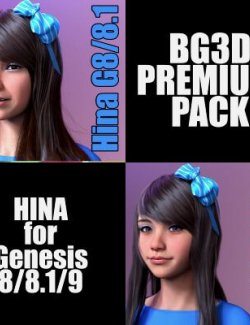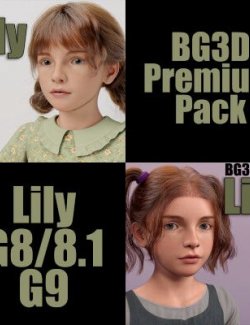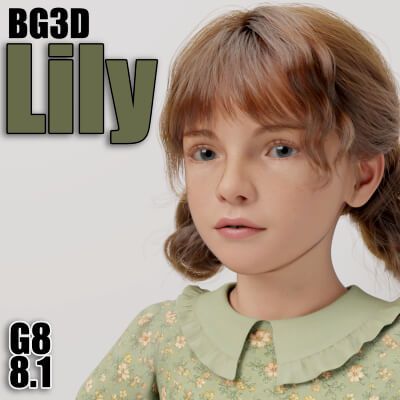
NOTE: Lily is NOW available to the Genesis 8 Female Figure with a NEW PBR Skin! G9 version is available in my store or the Premium Pack if you are wanting to purchase on both platforms.
DESCRIPTION:
Greetings! My specially crafted character Lily is now available for the G8 character with an NEW included PBR Skin Option. I have provided a few promos with her having one of my previous made skins so you can still use my previous skins on her if you choose to do so (not included - need to purchase my previous figures for the G8 platform). What is included is the new PBR Skin that will work with the provided makeup options.
---
Basic Knowledge:
As with all my characters, they are based around the Joint Correction Morphs (JCMs), that help the buyer utilize the character without worrying about bad bends. Also, when making the JCMs, I make them easier to use with collisions so clothing will not clip through limbs when bends are closer to the body. Specifically, the Shins are Keyed JCMs!! Meaning they will start their bend cycle once the shin is closer to the back of the thigh (Bending the Shins all the way), giving a more realistic feel and look!
I take no short cuts in quality. I have taken the hard work out of corrections for you, so pose and get rendering quickly!!
The JCMs are baked into the Body or Head for their individual area morphs/bends to work correctly.
IMPORTANT NOTES:
I have included 2 Main Preloads as this will load any character seamlessly. These Preloads will get you started quickly! I have already provided the Preloads with each body part highlighted as a Favorite. ONCE the Preload is loaded, select the Figure, go to the Parameters Tab and Select Favorites. The Base Presets for both Genesis 8 and 8.1 Female will load the Scaling only. NOTE: All key JCM's are tied into the Base Body, it is best to at least have the body dialed in above 60% for minimal use for JCM realism if you like to mix your own figure into Lily.
Once one of Lily's presets are dial in, there are a few manual dials for you to choose from. So if you load the PRESET, in Parameters TAB all KEY MORPHS will be in your favorites, so select Favorites and you will see everything you need to get running quickly and adjust what you like on the fly!
I have provided a couple of Manual Shaping Morphs to be utilized at the users command. Including one of the most important, for the FEET, this presets should be dialed to the same settings as the Body Dial Setting. I have provided a crucial (G8F Shoe Helper) to return the characters feet back into the original Genesis 8/8.1 Base. This will allow you to use ANY G8 shoes without distortion. It is highly recommended to use this ONLY when fitting shoes as the base characters feet are sculpted to that specific character and aesthetically pleasing versus the base G8 feet. The Flex Morph is designed to reduce the muscles present in the calf region, as the base figure dials them in and are not correctly a representation for all types of characters, so I have provided a fix for you to decide if you want to keep them in or smooth them out.
I have included a Clothing helper with this character to help with most clothing. I have this morph highlighted as a favorite with the Preset Preloads so the user can dial it down if needed.
\/\/\/\/\/\/\/\/\/\/\/\/\/\/\/\/\/\/\/\/\/\/\/\/\/\/\/\/\/\/\/\/\/\/\/\/\/\/\/\/\/\/\/\/\/\/\/\/\/\/\/\/\/\/\/\/\/\/\/\/\/\/\/\/\/
BREAKDOWN:
2 Main Preloads - (1 for G8F and 1 for 8.1) - LOADS EVERYTHING YOU NEED
*** IMPORTANT NOTE: You must load the MAIN PRELOAD(s) to have everything loaded quickly, this is highly recommended!
38 Total Morphs:
-------
25 Joint Control Morphs/Corrections
5 Manual JCMs - Hip/Thigh Morphs (**BONUS MORPHS: 2 Manual Hip/Thigh Corrections - 3 Automated Hip/Thigh Pose Correction)
1 Head
1 Body
1 Preset
2 Hairline Helpers
1 Flex Control
2 Assist Morphs:
1 Shoe Helper Morph
1 Clothing Projection Morph
______________________________________________________________________________________________________________________________________________
**BONUS MORPHS:
NOTE: The provided Animated Poses are made to help the user with complex bends on the thighs and hip area. Use these helpers first when making complex bends, then adjust (Bends/Side2Side/Twist) as needed. When using Bend/Side together, usually on the G8 figure, there are dead zones where bends make very bad distortions, These are smooth and a must for any complex posing. I have eliminated bad key areas in the hips to thighs where these bends and errors occur.
If you choose NOT to use the automated ones, then bend the thighs in any pose, then utilized the 2 provided MANUAL LegOut sliders to fix the distortion in these areas.
______________________________________________________________________________________________________________________________________________
Add-On Anatomy:
1 Fiber Brow Attachments
1 G8F Lashes
1 G8.1 Lashes
1 G8.1 Tear
1 Lip Shell for Lip makeup
Over 100 Skin/Makeup Options
***NEW PBR SKIN*** 1 Customized IRAY PBR ONLY base texture (Same Presets for G8F / G8.1)
1 H.MAT to load all skin/attachments
1 SKIN ONLY to load base skin material
7 G8F Lashes Textures with 10 options
10 G8.1 Lashes Textures with 13 options
7 FIBER BROW II Colors (1 Base / 6 Colors)/ 3 Opacity Settings
12 Eyeshadow Textures, 4 Metallic Settings, 2 Removal
7 Eye Textures
10 Lip (SHELL) Textures, 3 Masks, 1 Removal
4 LIE Layered Textures, 1 Helper (1 Freckles, 2 Face Blush, 1 Eyeliner, 1 Eyeliner Helper)
34 Nail Options (16 Fingernail Textures, 16 Toenail Textures, 2 Remove Options)
8 HDRi Render Options, 7 Settings
RECOMMENDATION: Render in SubD 3-4.
______________________________________________________________________________________________________________________________________________
***NEW UPDATED WARNING***
Be careful if you use Turbo Loader or remove the Head or Body of my characters as the JCMs are tied to these morphs. The HEAD and BODY locks the JCMs to their respective parts/character so DO NOT remove them unless:
-- If you remove these or move them from their respective folders, then the JCMs will be active on all your G8 characters. Basically, DO NOT remove the head or the body morphs from the original folders.
-- If you only want to use the head and body without the JCMs you can go to the folders and ZIP the JCMs and then delete them from the folder and leave the zip file in case you need to use them again to activate them, just unzip in place.
_______________________________________________________________________________________________________________________________________________
NOTICE: I have noticed an increase in interfering JCMs from other vendors that are not properly linked to their respective characters, so be aware that when using my characters to check (Used Morphs) if you see an issue, as they are none when I make my JCMs.
****PLEASE READ the included ReadMe file to get the full info regarding this product and proper use****
INSTRUCTIONS:
Once downloaded, just drag and drop into your "My Library" folder to get started.
Open DAZ Studio and load a fresh Genesis 8 or recommended PRELOADS.
Once the base G8/8.1F is loaded, there are a few options to load:
1. Search the Parameters Tab to locate the morphs and you can manually dial them in.
2. Alternatively go to your Content Library and under /People/Genesis 8 Female/Characters/BG3D/ you can find the PRELOAD and other presets in the next folders already made for you to get started quickly.
**NOTE: The PRELOAD preset will apply all attachments; as well as, scaling AND textures for all items. If you wish to mix and match with other morphs please remove preset by using the provided preset for each type of model chosen, OR manually dial them out in the parameters tab.
The materials folder contains a full character material preset for IRAY ONLY!
Tips/Recommendations: All of my characters work best with dForce clothing, so it is recommended to use them whenever possible. It is not necessary to use dForce to get great results, just a personal preference. Increase smoothing on clothing (3-5 smoothing) to assist as well; but I have tested many clothing and fits a modest amount of clothing very well without assistance or aid of other morphs.
Hair and clothing used in promos are NOT included.
Be sure to check out my other product(s) as well. https://www.renderhub.com/biogearz3d
Have fun!!! Please return and post up your Renders!
PLEASE return after purchase and post some renders, like and rate give (stars) to your favorite BiogearZ3D Character(s) and contact me if you have any issues via site DM!
BioGearZ3D