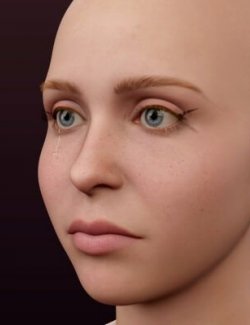
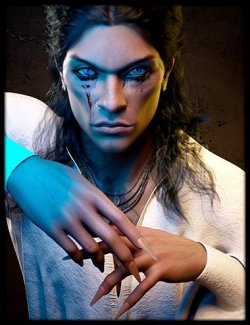
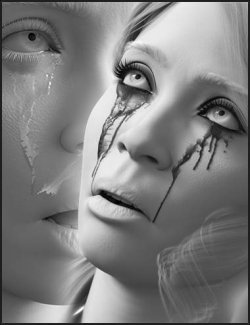
Build an emotional portrait with clear tear trails, smeared mascara, washed eye shadow and flushed skin. Crying FX separates tears, makeup and redness so you can keep a subtle single tear or build a ruined-makeup scene.
6 tear styles with independent left and right placement are supplied as 18 left, right and both-eye presets. Mix styles across the two sides for an asymmetric result.
8 crying-makeup looks and 3 redness levels combine with the tears. 8 complete looks provide an editable starting point.
Adjust tear wetness and separate tear, makeup and redness strengths. Compatible makeup can be recolored with 6 tint presets. Switch 3D tear relief on or off.
Separate geometry-shell layers preserve your character's original skin maps and shader. Designed for NVIDIA Iray and the standard UV layouts of Genesis 9, Genesis 8 Female, Genesis 8.1 Female, Genesis 8 Male, Genesis 8.1 Male.
INCLUDED
- 8 complete looks
- 6 tear styles / 18 left, right and both-eye presets
- 8 crying makeup looks and 3 independent redness levels
- 6 makeup tints
- Separate tear, makeup and redness strengths
- Fresh, Wet, Drying tear settings
- 3D tear relief on/off controls
- Individual and complete removal presets
- 63 presets per figure-family folder
REQUIREMENTS
Genesis 9, Genesis 8 Female, Genesis 8.1 Female, Genesis 8 Male, Genesis 8.1 Male using standard UV sets. DAZ Studio, NVIDIA Iray.
Preview characters, skins, hair, clothing and scenes are not included.
TEST STATUS
Tested applications: DAZ Studio 6.25.2026.14722, DAZ Studio 4.24.0.4.
QUICK START
1. Load a supported Genesis figure using its standard UV set. Select the figure in the Scene pane.
2. For a quick result, double-click a preset in 01 Complete Looks.
3. Choose a left, right or both-eye preset in 02 Tears. A new tear preset replaces the existing Crying FX
tear style on that side. Left and right styles can be mixed independently.
4. Choose 03 Crying Makeup and then 04 Redness. They are independent: changing makeup replaces only the
Crying FX makeup; changing redness replaces only its redness layer.
5. Use 05 Adjustments for tear wetness, effect strengths, compatible makeup tints and optional 3D tear relief.
Original Color resets the makeup tint.
Tints multiply the original makeup color; very dark mascara remains dark.
6. Use 06 Remove for one side's tears, all tears, makeup, redness or all Crying FX.
Tear relief starts Off. Turn it On when a raised tear surface suits your lighting and close-up view.
7. Render in NVIDIA Iray. Clear tears depend on reflections, lighting, the skin below them and render convergence.
The effects are geometry shells parented to the figure and follow its shape and pose.
You may hide Crying FX shells in the Scene pane or adjust shell offsets for unusually shaped faces.
The product preserves original skin maps/shaders and does not replace eye or eyelash materials.