Workflow Transparency
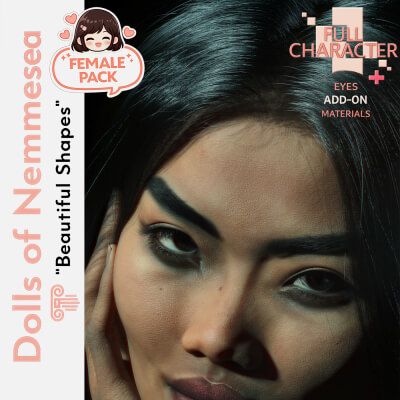
Buppha was created using a professional hybrid workflow. The head, body and eyes were sculpted and refined manually, while selected texture elements were enhanced using advanced digital tools. Her skin micro‑details, subtle imperfections, stretch marks and natural gloss were finished by hand to ensure a clean, cohesive and high‑quality result. The brows are a custom mesh, modeled and adapted specifically to her base shape for a more organic and realistic presence.
ABOUT BUPPHA
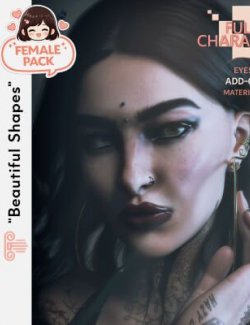
Buppha is a 31‑year‑old Thai woman with soft features, expressive eyes and a wild, free‑spirited presence. Her skin includes micro‑imperfections, subtle stretch marks, tonal variations and a natural gloss finish for enhanced realism.
She is optimized for both low‑end and high‑performance systems, offering 4K and 8K material sets.
Her brows are a hand‑crafted mesh adapted to her natural brow pattern.
PRODUCT DETAILS
Full Body Morph
Head Morph
Body Morph
Navel Morph
Genital Morph
Lashes Morph (shape only, no textures)
Integrated control morphs
Hand‑crafted mesh brows
Optimized 4K and 8K materials
One selectable eye color
Apply to both eyes directly from the character
Apply L/R individually by selecting Genesis 9 Eyes (Genesis 9 system limitation)
PETIT MAKEUP (INCLUDED)
3 eyeshadows
1 blush
2 natural lipsticks
TEXTURES (4K / 8K)
Base Color
Normal
Bump
Roughness
SSS
Natural gloss refinement
Micro‑imperfections and subtle stretch marks
One eye color (direct or L/R application)
Not included:
Fiber lashes
Lash textures
PERFECT FOR
Natural portrait renders
Traditional Asian scenes
Soft editorial photography
Cinematic storytelling
Spiritual, wild and free‑spirited characters
High‑realism skin close‑ups
CONTENT LOCATION
Morphs:
data\DAZ 3D\Genesis 9\Base\Morphs\Nemmesea\DNM - Buppha G9F
Character & Materials:
People\Genesis 9\Characters\Nemmesea\DNM - Dolls of Nemmesea\DNM - Buppha
HOW TO USE
Load Genesis 9 Female.
Apply the Full Body Morph from Parameters → Actor → People → Nemmesea → Buppha.
Choose the 4K or 8K skin preset depending on your system.
Apply the eye color directly to the character (both eyes) or select Genesis 9 Eyes for L/R.
Apply the petit makeup from the corresponding folder.
Adjust lighting to highlight her natural gloss and micro‑details.
QUALITY GUARANTEE
Hand‑crafted morphs
Custom mesh brows modeled and adapted manually
Hybrid textures with manual refinement
Hand‑painted makeup
No AI used for brows or morphs
Optimized materials for performance and quality
SUPPORT
All components have been tested.
If you need assistance, feel free to contact me through the platform.