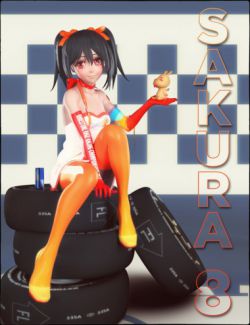
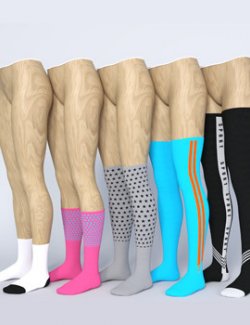
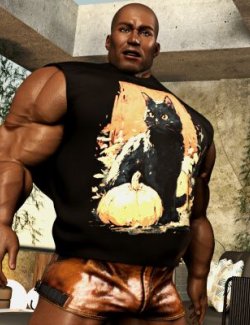
Dress up your Halloween scenes with ankle and over-knee socks in ten matching designs: pumpkins, bats, ghosts, cobwebs, candy corn, moons, skulls, stripes, zigzags and slime stitches.
Both lengths are included: Ankle and Over-Knee. Each has rounded toes, folded rib cuffs and a matching plain reinforced heel. The Over-Knee length has a 27.5 mm folded welt.
Choose the original folded cuff or use Straight Top for a smooth, unfolded upper edge. Unfolding the cuff makes the socks slightly taller. Use Folded Top to restore the default look.
Included:
- 6 conforming sock-pair wearables: two lengths for each of Genesis 9, Genesis 8 Female and Genesis 8 Male.
- Genesis 8.1 Female uses the Genesis 8 Female files; Genesis 8.1 Male uses the Genesis 8 Male files. These are the same G8 rigs, not additional rigs.
- 10 unique Iray designs, included for both lengths and all three figures (60 material preset files).
- Folded Top and Straight Top presets for every length and figure (12 style preset files).
- Fit morphs for supported installed body shapes and automatic leg-pose correctives.
- Bonus Shader Value Pack: 156 presets. 18 colour tints plus a Natural (No Tint) reset and 7 finishes (Satin, Matte, Wet Gloss, Velvet, Metallic Lurex, Glitter, Sheer) for every length and figure; they stack on any design.
- A separate UV-template ZIP for custom texturing.
Designs:
- Pumpkin Spice
- Plum Bats
- Friendly Ghosts
- Silver Cobweb
- Candy Corn
- Moonlit Witch
- Ivory Skulls
- Pumpkin Stripes
- Haunted Zigzag
- Slime Stitches
How to use:
1. Load your adult figure and select it.
2. In Content Library, open People > your figure > Clothing > audrey-studio > Halloween Socks.
3. Double-click the desired length. Use the matching G8 folder on a Genesis 8.1 figure.
4. Select the socks and apply a preset in Materials for that length.
5. In Styles > the matching length, choose Straight Top or Folded Top. These are two complete styles; intermediate blending is not supported.
6. Optional: in Materials > Value Pack > the matching length, apply a colour tint and/or a finish on top of the design. Natural (No Tint) removes the tint.
Technical:
- Conforming clothing; no dForce simulation is required.
- Iray materials with Backscattering Weight 0.
- Base meshes with subdivision; the default view subdivision is 1.
- Tested in DAZ Studio 4.24 and DAZ Studio 2025 (6).
- Printed motifs follow the garment and may change aspect around curved or strongly posed regions. The plain heel reinforcement avoids a print seam across the deepest heel transition.
- Test your chosen character and strong poses before rendering; HD detail and untested extreme combinations can need adjustment.
Base mesh counts per sock pair (both socks together):
- G9 Ankle: 12,326 vertices / 12,284 polygons.
- G9 Over-Knee: 28,208 vertices / 31,096 polygons.
- G8F Ankle: 13,742 vertices / 15,840 polygons.
- G8F Over-Knee: 28,274 vertices / 28,190 polygons.
- G8M Ankle: 14,458 vertices / 14,416 polygons.
- G8M Over-Knee: 32,748 vertices / 32,670 polygons.
Rendered in DAZ Studio with Iray. Characters, hair, other clothing, poses, lights and scene props are not included.