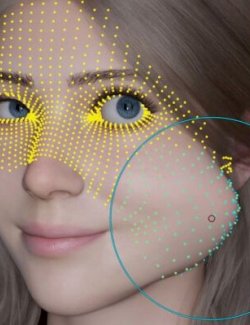
# JointForge – JCM Creator for Genesis 8 V1.0
**CREATE. SCULPT. BUILD. FASTER.**
**A complete corrective JCM production workflow for DAZ Studio and Blender.**
Creating high-quality Joint Controlled Morphs (JCMs) can be a time-consuming process, especially when working with multiple joints, progressive bend angles, or complex character poses.
**JointForge for Genesis 8** brings the essential stages of JCM production together in one dedicated DAZ Studio interface, helping artists create, organize, sculpt, and build corrective morphs through a structured workflow.
Select your corrections in DAZ Studio, export the meshes for sculpting, refine them in Blender, and bring them back into JointForge to build the finished JCMs and their driving relationships.
Whether you're creating a single joint correction or working on a larger collection of custom JCMs, JointForge helps make the process more efficient and repeatable.
## KEY FEATURES
### Batch JCM Production
Work with multiple selected JCMs in the same production workflow.
- Select multiple corrections from the JCM library.
- Batch-export the selected OBJ meshes for sculpting.
- Import and build multiple completed JCMs in one operation.
- Save your built JCMs using the dedicated Save Built JCMs action.
This reduces repetitive manual work when producing larger sets of corrective morphs.
### Progressive JCM Workflow
Create corrections at different bend angles to help achieve smoother deformation transitions.
JointForge provides a dedicated progressive production step, allowing you to work with multiple stages of the same joint movement.
For example, a thigh correction can be sculpted at several bend angles, with each stage contributing to the overall deformation.
### Multi-Joint JCM Creation
Create corrective morphs driven by combinations of joint rotations.
This is particularly useful for complex poses where more than one joint contributes to an unwanted deformation.
JointForge supports multi-joint driver relationships, giving artists more control over corrections that depend on combined movements.
### Capture Your Own Custom Poses
Not limited to the supplied JCM entries.
Capture joint rotations directly from your posed Genesis 8 character and save them as custom JCM entries.
Organize your captured poses in custom libraries and use them in the Multi-Joint production workflow.
This makes JointForge adaptable to your own characters, sculpting needs, and production style.
### Sculpt in Blender — Build in DAZ Studio
JointForge works alongside a dedicated Blender companion add-on.
The workflow is straightforward:
1. Select and export your JCM meshes from DAZ Studio.
2. Import the OBJ meshes into Blender.
3. Sculpt your desired corrections.
4. Export the corrected meshes.
5. Return to DAZ Studio and use JointForge to import and build the JCMs.
6. Use **Save Built JCMs** to save the completed corrections.
Saving is a separate action after Import/Build and must be completed before beginning the next Import/Build operation.
### Blender JCM Mirroring
The Blender companion includes a mirroring tool that allows you to create an opposite-side version of a JCM mesh.
Sculpt the correction on one side and use the companion's **Create Mirrored JCM** function to help reuse that sculpting work on the corresponding side.
## ORGANIZED JCM LIBRARIES
JointForge includes a library-based workflow for selecting and managing JCM entries.
Work with supplied entries, capture custom poses, and organize additional corrections according to your production needs.
The dedicated interface provides access to Single Base, Progressive, and Multi-Joint production steps.
## WHAT'S INCLUDED
- JointForge for Genesis 8 DAZ Studio application
- JCM libraries and production tools
- DAZ Studio launcher
- JointForge User Guide
- Full Workflow video tutorial
- Progressive JCM video tutorial
- Installation instructions
### FREE BLENDER COMPANION
JointForge works together with a dedicated Blender companion add-on to provide a complete JCM sculpting workflow between DAZ Studio and Blender.
**The Blender companion allows you to:**
- Import JCM OBJ meshes exported from JointForge into Blender.
- Sculpt and refine your corrective morphs using Blender's sculpting tools
- Export the corrected OBJ meshes for importing and building in DAZ Studio.
- Create mirrored JCM meshes, allowing you to reuse corrections on the opposite side of the character.
**The Blender companion is available as a separate, free download from JR Redtail's official GitHub repository.**
You will find the **direct download link and installation instructions in the PDF User Guide included with your purchase**.
The companion is compatible with Blender 4.5 (tested with Blender 4.5.9 LTS) and is distributed under GNU GPL version 3 or later.
The Blender companion is not included in the commercial RenderHub ZIP.
## COMPATIBILITY AND REQUIREMENTS
- **DAZ Studio 6** — required; tested with JointForge V1.0.
- **Genesis 8** — supported figure generation.
- **Blender 4.5** — for the companion sculpting and mirroring workflow.
- **Blender 4.5.9 LTS** — confirmed companion target version.
Compatibility with other DAZ Studio or Blender versions is not guaranteed.
JointForge is a corrective morph production tool. Users create their own sculpted corrections using the supplied workflow.
## DOCUMENTATION AND TUTORIALS
A user guide and two video tutorials are included to help you understand the main production workflow and progressive JCM creation.
**JointForge for Genesis 8 V1.0**
*Developed by JR Redtail.*
**Create. Sculpt. Build. Faster.**