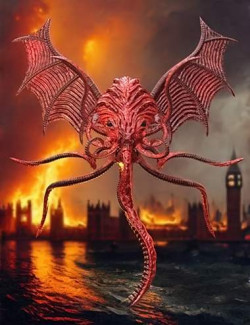
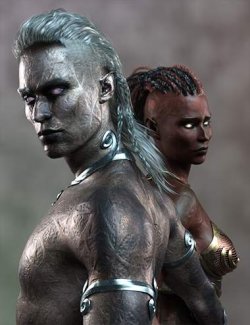
Summon the horrors of the deep with the Mask of Cathulhoo for Genesis 9 — a haunting standalone creation from Midnight_stories. Inspired by the eldritch visions of H. P. Lovecraft, this terrifying mask and neck piece will instantly transform your character into a creature from the abyss.
The mask automatically hides the Genesis 9 head for seamless fitting, and each tentacle includes six adjustable pose dials for dynamic, lifelike movement. Choose from six detailed material presets, including a variant that matches the Genesis 9 Succubus.
To bring your nightmare to life, eleven ready-made poses and a zero-reset pose are included. Combine it with the twelve bonus horror backgrounds to build your own cosmic-terror masterpiece this Halloween.
Note:
This is a Fan Art model ( Concept ) meaning that the creation was inspired
by a already existing creature.
Meets Daz testing standards !
Daz Studio Fan Art
Product Requirements and Compatibility:
Daz Studio Iray
Content includes
---
Wearables Presets
Cathulhoo Mask
CHM Mask
CHM Neck
hierarchical Material Presets: Blue, Cyan, Gray, Green, Purple, Red, Succubus
Materials Presets for mask and shell: Blue, Cyan, Gray, Green, Purple, Red, Succubus
Materials Presets for Eyes: Black, Blue, Glow Red, Glow Yellow, Gray, Green, Pink, Red
Pose Dials
Center Bend
Center Front S-Bend
Center Side S-Bend
Center Side-Side
Center Twist
Left Bend Side
Left Front Back
Left Front S-Bend
Left Side S-Bend
Left Twist
Right Bend Side
Right Front Back
Right Front S-Bend
Right Side S-Bend
Right Twist
Shape Dials
Angry
Close Eyes
Close Eyes L/R
Hdie Chin
Pose Presets: Zero, Hair Back, Look, Rest, Stand, Stong, Style, Thinking, Wait, Why, Wonder
BONUS CONTENT
12 Background Images between 1920x1080 to 1920x1280
yes AI generated, but free
Installation Guide
To install the Hecker Outfit, simply follow these steps:
Locate the folders: After unzipping the product file, you will find the three main folders: data, People, and Runtime.
Copy to your Daz3d Library: Copy these three folders and paste them into your main Daz3d Library directory. The files will automatically merge with your existing content.
Usage Notes
---
Make sure you have genesis 9 character selected first.
Then click on the Cathulhoo Mask in root directory to apply.
To apply hierarchical Material Presets, make sure G9 is selected first.
To apply the poses make sure the Mask is selected.
Eye textures can only be applied to the mask.