PRODUCT NAME:
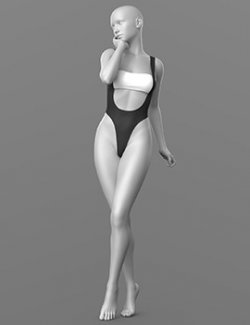
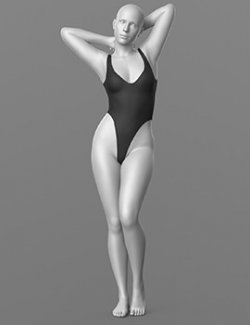
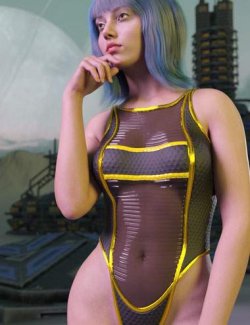
Swimsuit
THE PRODUCT CONTAINS:
- Swimsuit for Genesis 9
- Separate Bra and Panties items
- Full preset that loads both parts together
ARCHIVE CONTAINS FORMATS:
- FULL_Swimsuit_07v.duf (model)
- Swimsuit_07v_Bra.duf (model)
- Swimsuit_07v_Panties.duf (model)
- Ring_BRONZE.duf (material)
- Ring_COLOR.duf (material)
- Ring_GOLD.duf (material)
- Ring_SILVER.duf (material)
- Swimsuit_07v_COLOR.duf (material)
- Swimsuit_07v_LEO_BLACK.duf (material)
- Swimsuit_07v_LEO_COLOR.duf (material)
- Swimsuit_07v_LEO_PINK.duf (material)
- Swimsuit_07v_LEO_YELLOW.duf (material)
- Swimsuit_07v_RIBBONS_COLOR.duf (material)
- Swimsuit_07v_WHITE.duf (material)
- PNG (textures)
TEXTURES (4096 x 4096 .png):
- Set textures PBR (_BaseColor, _Height, _Metallic, _Normal, _Roughness, masks)
COLOR VARIATIONS:
The archive contains ready color variations and independent recolor presets. All of them are presented in the preview.
- Leopard Black
- Leopard Pink
- Leopard Yellow
- White
- Custom swimsuit color
- Custom leopard spot color
- Custom ribbon color
- Silver, bronze, gold and custom color ring
If necessary, you can easily change the color of the model by applying the white texture and changing the color in the Base Color section of the material settings.
INSTRUCTION MANUAL:
Load the Genesis 9 avatar and load FULL_Swimsuit_07v.duf to the scene, or load the Bra and Panties separately.
To apply one material preset to both parts at once, select Swimsuit_07v_Bra and Swimsuit_07v_Panties together in the Scene pane, then apply the desired material preset. You can also apply the preset to each part one at a time.
Apply a base swimsuit color first, then apply a ring preset.
dForce is configured for the model, this will allow you to apply the model in any pose.
- By assigning the white texture or applying Swimsuit_07v_COLOR.duf, you can change the swimsuit color to any other one you like. Select the Swimsuit_07v surface and change the color in the Base Color section of the material settings.
- Apply Swimsuit_07v_LEO_COLOR.duf to recolor only the leopard spots. Select the Swimsuit_07v surface and change Diffuse Overlay Color. This preset preserves the selected base swimsuit color.
- Apply Swimsuit_07v_RIBBONS_COLOR.duf to recolor only the ribbons. Select the Ribbons surface and change Diffuse Overlay Color. This preset preserves the selected swimsuit and leopard spot colors.
- Apply Ring_SILVER.duf, Ring_BRONZE.duf or Ring_GOLD.duf to change only the ring material.
- Apply Ring_COLOR.duf for a custom colored metal ring. Select the Ring surface and change the color in the Base Color section of the material settings.
- The leopard spot and ribbon color presets are independent and can be applied in any order. If you change the base swimsuit color after applying a ring preset, apply the ring preset again.
Creative success to you!
NOTE:
- The character model is NOT included in the package. You can purchase the character via the link:
https://www.renderhub.com/exart3d/e3d-nyla-for-genesis-9
THANK YOU FOR YOUR PURCHASE!