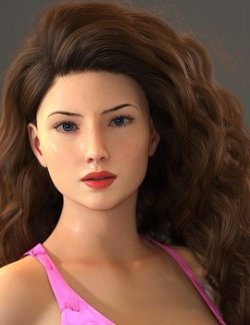
DD Makeup Editor - Iray PBR Skin Makeup System for Genesis 8
---
Version 3.5.1 | Genesis 8 Iray PBR
---
## What this tool actually solves
---
Makeup in DAZ Studio is usually handled as texture replacement.
Each preset swaps textures and often only works correctly with certain characters or skin materials.
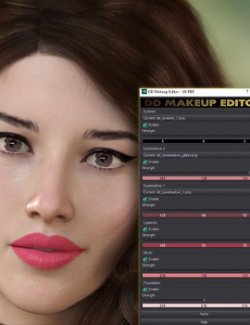
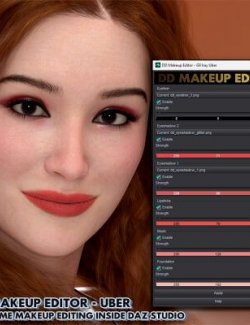
DD Makeup Editor turns makeup into an adjustable material behavior instead of a fixed texture.
You start from a style and shape it to the character.
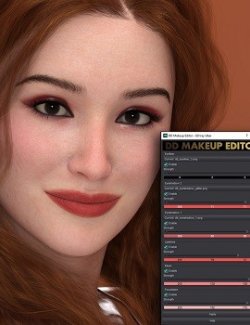
Lipstick, blush, eyeliner, eyeshadow and foundation adapt to the existing skin instead of replacing it.
Skin pores, tone variation and lighting response remain intact because the shader itself is being edited.
---
## Everyday workflow
---
1. Apply any DD Makeup Style preset
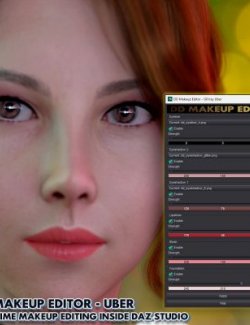
2. Run DD Makeup Editor
3. Enable layers (Foundation / Eyes / Lips / Blush)
4. Choose a style mask
5. Adjust color and strength (0–100)
6. Click Apply and refine anytime
You are not reapplying presets.
You are shaping makeup.
---
## Skin Shader Awareness (Important)
---
Genesis 8 characters most commonly use "Iray Uber Skin", but some newer skins use "DAZ Iray PBR Skin".
This version of the editor is designed specifically for "Iray PBR Skin materials".
If a character uses Iray Uber Skin you can:
1. Use the included "Skin Shader Converter" to convert the material to Iray PBR
2. Or use the "DD Makeup Editor Iray Uber version" for direct compatibility
The converter standardizes the shader so makeup layers blend correctly with the original skin textures.
It does not replace or modify the character's texture maps.
---
## About visual differences after conversion
---
Iray PBR Skin and Iray Uber Skin interpret roughness, specular and translucency slightly differently.
After conversion, lighting response or gloss levels may appear slightly different.
This is normal and does not affect the original texture maps.
For the closest match to the original artist's skin:
- PBR Skin → use "DD Makeup Editor PBR"
- Iray Uber → use "DD Makeup Editor Iray Uber"
The converter exists for compatibility, while matching the editor to the shader gives the most accurate result.
---
## Non-Destructive Editing
---
The Makeup Editor "does not overwrite skin textures".
Makeup layers are applied through the shader inside the scene and remain fully adjustable.
You can modify colors, strength and styles at any time without affecting the original character materials.
Only the optional shader converter modifies the material structure.
---
## Saving Your Result
---
The editor modifies materials "only in the current scene".
Nothing in your content library is changed automatically.
To save your customized makeup look:
File → Save As → Material Preset
---
## Where this fits
---
Ideal for:
- recurring characters
- visual novels
- animation close-ups
- portrait renders
- lighting experiments
- consistent characters across scenes
Instead of searching for a matching preset, you adapt one look across multiple characters.
---
## Technical Details & Compatibility
---
- Genesis 8 Female
- DAZ Studio 4.20+
- DAZ Iray PBR Skin (MDL)
- Layered shader editing system
- Adjustable intensity 0–100
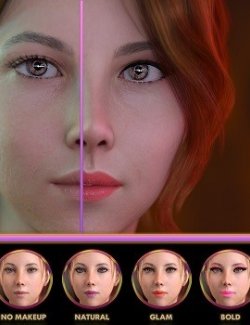
- 101 presets (Natural / Glam / Bold / Hero)
- Glitter control options
- 28 mask textures
- Scene-based non-destructive workflow
- Optional Uber → PBR shader converter included
---
## Included Content
---
Core Tools
- DD Makeup Editor – Genesis 8 Iray PBR
- Skin Shader Converter (Iray Uber → PBR)
- Reset Utility
- Glitter presets: Classy / Bold / Off
Preset Library
- 30 Natural Makeup Preset
- 30 Glam Makeup Preset
- 37 Bold Makeup Preset
- 4 Hero Makeup Preset
---
Software: DAZ Studio
Figure: Genesis 8 Female
Shader: DAZ Iray PBR Skin (MDL)
Category: Character Materials / Makeup
Content Type: Script Tool + Material Presets