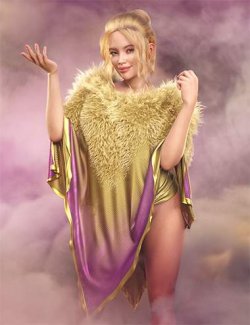
Embrace an aesthetic of airy elegance with dForce Vinea, a contemporary three-piece outfit that balances bold textures with a relaxed, flowing silhouette. Designed to take full advantage of dForce physics, this ensemble captures the natural beauty of layered fabrics in motion.
The Signature Silhouette:
Intricate Layered Shawl: A stunning, oversized shawl featuring alternating panels of solid knit and delicate open-work lace. The dForce-ready fabric is designed to drape naturally over the shoulders, creating an elegant, asymmetrical "off-the-shoulder" look that responds beautifully to any pose. With 12 styles, 12 single options to mix and match, and 6 lacy transparency shaders, make your shawl unique to your vision in just a few clicks!
Minimalist Cropped Cami: A clean, streamlined base layer with delicate straps. It provides a modern foundation that allows the intricate patterns of the shawl to take center stage. Just like the shawl, the cami offers 12 styles, 12 single options to mix and match, and 6 lace options for the hemline!
Sculpted Jeggings: Combining the rugged look of classic denim with the sleek fit of leggings. These bottoms feature realistic seam detailing and a high-waisted cut that complements the cropped length of the cami. 12 styles are also included for the jeggings, with 12 single options to mix and match! The jeggings also include a "relaxed fit" sim option, and a "default fit" sim option.
What's Included and Features
- dForce Vinea for Genesis 9 and 8 Female:
- Vinea Wearable G8F
- Vinea Wearable G9
- Clothing Pieces:
- Vinea Cami G8F
- Vinea Jeggings G8F
- Vinea Shawl G8F
- Vinea Cami G9
- Vinea Jeggings G9
- Vinea Shawl G9
- 55 Included Morphs
- Supported Shapes:
- Other Shapes may be supported in Daz Studio by Auto-follow
- Materials:
- 01 any color option for the Cami
- 01 any color option for the Jeggings
- 01 any color option for the Shawl
- 12 styles for the Cami
- 12 styles for the Jeggings
- 12 styles for the Shawl
- 06 lace options for the Cami hemline
- + Cami lace off option
- 06 lace shaders for the Shawl panels
- + Shawl lace off option
- Shaders:
- 01 any colour shader for the Cami
- 01 any colour shader for the Jeggings
- 01 any colour shader for the Shawl
- 12 shaders for the Cami
- 12 shaders for the Jeggings
- 12 shaders for the Shawl
- Simulation Settings:
- Vinea Basic Sim Setting G8F
- Vinea Basic Sim Setting G9
- Jeggings Default sim setting
- Jeggings Relaxed sim setting
- Textures Include:
- 82 Texture, Bump, Normal, and Transparency Maps (4096 x 4096)
- Daz Studio Iray Material Presets
- Daz Studio Iray Shader Presets
Required Products:
Compatible Figures:
Genesis 9, Genesis 8 Female, Genesis 8.1 Female, Genesis 9 Female
Compatible Software:
Daz Studio 4.24, dForce Cloth, Daz Studio 2025 / 6.X
Install Types:
DazCentral, Daz Connect, DIM, Manual Install