Bring your DAZ Studio scenes to life with fast, efficient animated crowds!
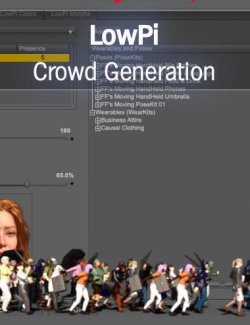
In this focused 2-hour tutorial, Dartanbeck guides you step-by-step through using Code 66’s powerful LowPi Crowd Generation System—designed for creating vibrant, low-poly animated characters that won’t slow down your workflow.
If you're working on sci-fi corridors, fantasy markets, winter resorts, or zombie apocalypses or other imaginative crowd scenes this tutorial shows you how to populate your sets with rich, diverse crowds that move, react, and tell a story.
What You’ll Learn:
How to generate animated crowds using the LowPoly Crowd Creator Bundle
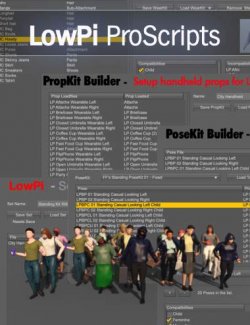
Using ProScripts Pack to build custom WearKits, PoseKits, PropKits, and LowPi Sets
How to add walking, sitting, talking, or idle animations to your crowds
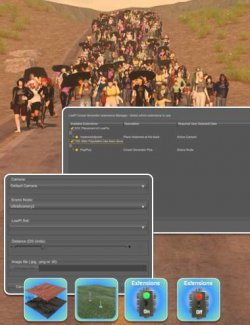
Practical use of Code 66 extensions: PopPlus, PathTool, Area & Slope, and more
Creating custom outfits and integrating them into randomized generation
Enhancing scenes with cinematic VFX: iReal clouds, VDB fire, and dynamic traffic
Scene Examples Include:
French Ski Resort (Winter Wonderland expansion)
Fashion Show & i13 Theatre(Dinner and a Show)
Golf Course (Medieval Life characters at leisure)
Urban Sprawl 3 (Cyberpunk city with animated crowds)
The Knight’s Castle (Skeleton horde with animated VDB FX)
Houseboat Adventures and more
Core Products used in this Tutorial
- LowPoly LowPi Base Figure (by FeralFey and Lyrra Madril)
- LowPi Crowd Generator (by Code 66 and FeralFey)
- Optional ProScripts For LM LowPi Lowpoly Figure Crowd Generation (by Code 66)
Recommended : Get the Lowpoly Crowd Creator Bundle
No ProScripts: No Problem.
Dartanbeck also demonstrates how to animate LowPi figures manually using only the base Crowd Generator—ideal for users just starting out or building up their toolkit.
Perfect For:
DAZ Studio users wanting to populate complex scenes with animated figures
Artists working in sci-fi, historical, urban, or fantasy genres
Animators looking for lightweight, high-impact background crowds
Anyone ready to explore the creative potential of LowPi system
About the Presenter: Dartanbeck began his digital art journey painting fantasy game tiles and later became a texture artist for 3D game characters, earning several Hall of Fame awards. His passion for animation led him to create digital shorts and cinematic scenes.
Now a DAZ 3D published artist, he has released Carrara environment kits and animation packs, and actively uses DAZ Studio and Carrara in his projects. Dartanbeck enjoys sharing his knowledge and helping others grow as creators.
What's Included and Features
- Efficient Crowd Animation in DAZ Studio: A LowPoly Workflow
- In this focused 2-hour tutorial, Dartanbeck guides you step-by-step through using Code 66’s powerful LowPi Crowd Generation System—designed for creating vibrant, low-poly animated characters that won’t slow down your workflow.
- Video 1 : 120 minutes (.MP4)
- 00:00 — Introduction to the session, highlighting low-poly crowd animation and the potential of Code 66’s LowPi system for DAZ Studio.
- 00:03 — Demonstration of clothing variations and manual outfit customisation post-crowd generation using Winter Wonderland and undead expansions.
- 00:06 — Showcasing pose variety in crowd generation and how static crowd scenes can tell stories through pose randomisation.
- 00:09 — Explanation of how markers and preset poses enhance narrative control within generated crowds.
- 00:12 — Practical example of walk cycle animation setup, including the use of symmetry tools and motion keyframe tweaking in DAZ Studio.
- 00:15 — Deep dive into baking animations, removing interpolation, and saving crowd-friendly walk cycles as usable assets.
- 00:18 — Workflow tricks for animation timing adjustments to create natural motion variations across crowd figures.
- 00:21 — Introduction to the Pose Kit tool and how to integrate custom walk cycles.
- 00:24 — Assigning compatibility tags and animation categories for effective crowd use, including support for child figures.
- 00:27 — Using the Set Builder to merge animations and wearable kits into ready-to-generate crowd presets.
- 00:30 — How to reposition generated figures for better scene composition and storytelling impact in crowd animation.
- 00:33 — Integrating animated crowds into foreground/background action scenes for cinematic effect using grouped movements.
- 00:36 — Building scene subsets for reuse, enabling the efficient setup of sitting or idle crowd groups.
- 00:39 — Quick tips on regenerating figure selections with different seeds and editing looks post-generation.
- 00:42 — Creating mix-and-match animated walking groups to populate dynamic environments with diverse characters.
- 00:45 — Artistic crowd placement as a storytelling tool, moving and varying walkers for visual realism.
- 00:48 — Finalising crowd animation setups by aligning start frames and managing motion timing cleanly.
- 00:51 — Optimising crowd figure interaction with hero characters, avoiding overlaps and enhancing believability.
- 00:54 — Reusable idle animation group creation with subtle variations, ideal for layering detail into background scenes.
- 00:57 — Performance insights: how low-poly figures and grouped animation enable large animated scenes without slowdown.
- 01:00 — Demonstrating custom crowd positioning in sync with camera and hero animation for visual continuity.
- 01:03 — Painting with people: blending animated crowd groups with idle groups to craft layered, realistic environments.
- 01:06 — Artistic control of LowPi figure placement post-generation and group alignment for crowd coordination.
- 01:09 — Creating custom wearable assets for Lopei using Genesis clothing, optimizing for performance with Scene Optimizer.
- 01:12 — Demonstration of shader reduction and texture map downsizing for efficient scene memory usage.
- 01:15 — Saving custom wearable assets and icons to easily access and re-use clothing across crowd kits.
- 01:18 — Using the Wear Kit Builder to bundle clothing and materials into LowPi-compatible crowd assets.
- 01:21 — Assigning crowd roles and wearable types such as “full body” or “formal” to drive generation logic.
- 01:24 — Assembling new crowd sets by combining pose kits with custom wear kits for broader style variety.
- 01:27 — Introducing multi-area crowd generation with directional markers and varied animation kits.
- 01:30 — Configuring crowd densities, probabilities, and material settings for different areas of a scene.
- 01:33 — Advanced randomisation techniques and how subtle parameter tweaks affect visual outcomes.
- 01:36 — Live generation of multiple crowd groups with integrated wearable kits, including police and business roles.
- 01:39 — Exploring the Area and Slope extension for terrain-based crowd generation with dynamic figure alignment.
- 01:42 — How to use geometry selection for slope population and tips for setting up sloped animations.
- 01:45 — Example of slope-populated winter sports scene using terrain markers and camera-facing logic.
- 01:48 — Scene switching: applying idle skeleton crowds to moody fantasy or horror scenes like Night Castle.
- 01:51 — Building skeleton walk and idle kits from existing presets for rapid reuse in new crowd scenarios.
- 01:54 — Equipping skeletons with props and using instances to maximise visual diversity efficiently.
- 01:57 — Final scene composition with animated crowds, props, and a hero character to deliver story impact.
Required Products:
LM Lowpi Lowpoly Figure, Crowd Generation For LM Lowpi Lowpoly Figure
Install Types:
DazCentral, Manual Install