Iray Burned Decals and Shaders preview image 0Iray Burned Decals and Shaders preview image 1Iray Burned Decals and Shaders preview image 2Iray Burned Decals and Shaders preview image 3Iray Burned Decals and Shaders preview image 4Iray Burned Decals and Shaders preview image 5Iray Burned Decals and Shaders preview image 6Iray Burned Decals and Shaders preview image 7Iray Burned Decals and Shaders preview image 8Iray Burned Decals and Shaders preview image 9Iray Burned Decals and Shaders preview image 10Iray Burned Decals and Shaders preview image 11
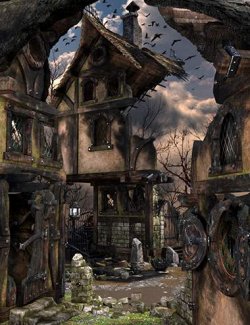
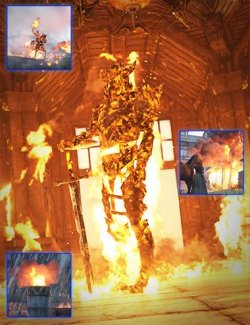
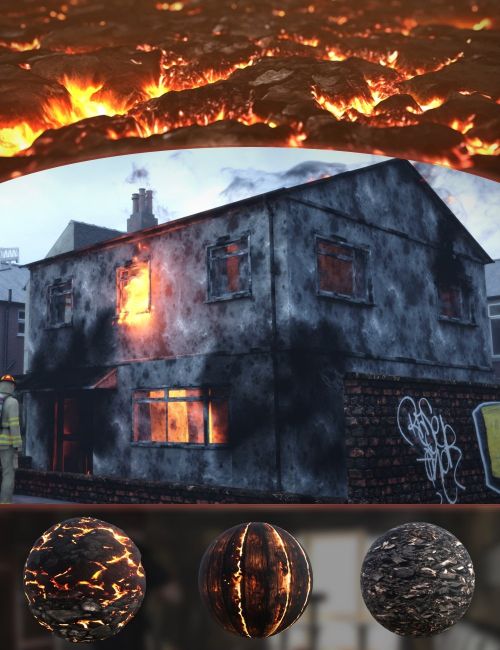
Iray Burned Decals and Shaders is a collection of tools meant to simulate the after effects of a fire, including smoke, soot and damage. There is a suite of decals which can be projected onto any surface, using the standard daz decal node. There is a collection of overlay shaders, which will map onto any mesh with an appropriate tiling UV. There are standard shaders, which will replace your current material/shader. Finally, a pack of VDBs including smoke and fire are included to add the final touch to your render.
What's Included and Features
- Iray Burned Decals and Shaders (.DUF)
- Decals:
- Aged Heat Mark
- Burned Cracker Plaster
- Exposed Burned Dry Wall
- Faded soot
- Floot Soot
- Grenade Mark
- Light Heat Mark
- Light Heat Mark ALT
- Patchy Wall Burn
- Patchy Wall Burn ALT
- Plaster Hole
- Portal Fire
- Rising Heat
- Rising Heat ALT
- Soot Blast
- Stove burn
- Wall Crack
- Wall Hole burned
- Wall Hole burned ALT
- Wood Vein Burn
- Shader Overlays:
- 4x Smoke Overlay Shaders
- 4x Smoke Overlay Shaders (inverted)
- Shaders
- Burned Clothes Pile
- Burned Clothes Pile (Disp)
- Burned Debris Pile
- Burned Grassy Ground
- Burned Old Brick
- Burned Old Steel
- Burned Old Steel
- Burned Old Steel Disp
- Burned Roof Tiles
- Burned Rusty Metal
- Burned Wood Planks
- Fiery Ground
- Fiery Ground Disp
- Fiery Planks
- VDBs:
- Ground Smoke
- Pit Fire
- Smokey Pit Fire
- Whispy Fire HR
- Whispy Fire
- Whispy Grey Smoke
- Textures Include:
- 76 Texture, Bump, Displacement, Normal, Reflection, VDB, and Transparency Maps (4096 x 4096)
- Daz Studio Iray Shader Presets (.DUF)
Compatible Software:
Daz Studio 4.23
Install Types:
DazCentral, Daz Connect, DIM, Manual Install
Daz3d
Where to buy:
https://www.daz3d.com/iray-burned-decals-and-shaders