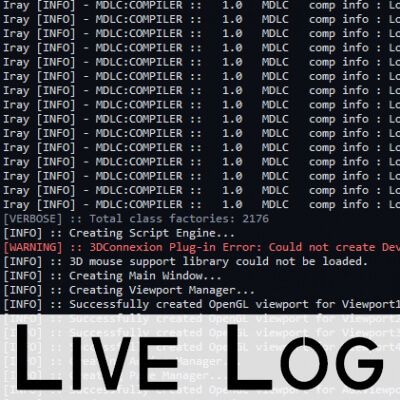
Live Log - DAZ Studio Plugin.
Live Log is a simple DAZ Studio pane plugin that lets you view the DAZ Studio log in real time directly inside DAZ Studio.
I made it mainly for myself because I was tired of opening the log manually, using external log viewers, or running PowerShell just to keep an eye on what DAZ Studio is doing in the background.
It is not meant to be fancy. It is just a small utility to make troubleshooting faster and easier.
Features
- Live DAZ Studio log viewer inside a dockable pane
- Auto-refresh while DAZ Studio is running
- Color-coded warnings and errors
- Optional timestamps
- Custom log path support
- Simple INI configuration
- Adjustable update interval
- Useful for script/plugin troubleshooting
The error and warning detection uses simple string matching, so it is not perfect, but it works well enough for quickly spotting important lines in the log.
INI Configuration
The plugin includes a LiveLog.ini file:
[LiveLog]
LogPath=
ShowTimestamps=false
UpdateIntervalMs=1000
INI Options
LogPath=
Used if you want to point the plugin to a custom log file. This is mainly useful for PA Client logs or other specific cases.
If left empty, it uses the default DAZ Studio log.
For DAZ Studio 4:
%APPDATA%\DAZ 3D\Studio4\log.txt
For DAZ Studio 6:
%APPDATA%\DAZ 3D\Studio6\log.txt
ShowTimestamps=false
Timestamps are hidden by default because they can make the log harder to read. Since this is a live log, they are usually not needed. You can enable them if you prefer.
UpdateIntervalMs=1000
Controls how often the log refreshes, in milliseconds. The default is 1000, which means once per second.
The plugin is very light, so the default should be fine, but the option is there in case you want to increase the interval during heavier workloads.
Manual Installation
This is a manual install, not a regular DAZ product installer.
Extract the plugin folder and place the LiveLog folder here:
For DAZ Studio 4.2x:
DAZStudio4\plugins\LiveLog\
For DAZ Studio 6 Public Beta ONLY:
DAZStudio6 Public Build\plugins\LiveLog\
The folder should contain the plugin DLL and LiveLog.ini.
After installing it, restart DAZ Studio.
Once loaded, the pane should be available from:
Window > Panes (Tabs) > Live Log
You can dock the pane anywhere in the DAZ Studio interface, or place it on a second monitor.