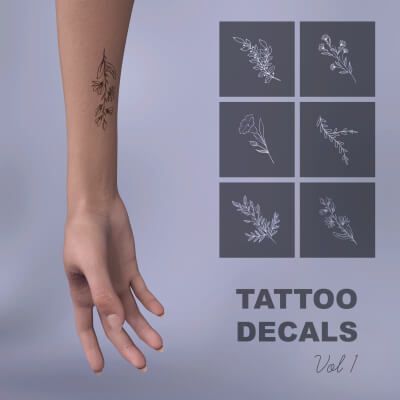
CRI Tattoo Decals VOL1 preview image 0CRI Tattoo Decals VOL1 preview image 1CRI Tattoo Decals VOL1 preview image 2CRI Tattoo Decals VOL1 preview image 3
This set includes:
5 decal props. They're connected to Genesis 9 by default, but each of them can be moved and parented to any figure & bone.
6 decal materials with different tattoo designs. They work with any type of skin color.
Installation:
Place Props and Runtime folders in your content library.
Where to find:
(your library)/Props/Crimson3DArt/CRI Tattoo Decals VOL1
How to use:
Choose the decal, apply the design (they're named Tattoo 1-5 in Scene tab for easier search), move it close to character's skin (to the place you want it to be on) and parent it to the bone so it'll move with character during posing. If it's on arm - parent it to arm bone, if on chest - parent to spine etc.
Decal is visible in NVIDIA Iray mode only!
Compatible figures:
RenderHub
Where to buy:
https://www.renderhub.com/crimson3dart/cri-tattoo-decals-vol1