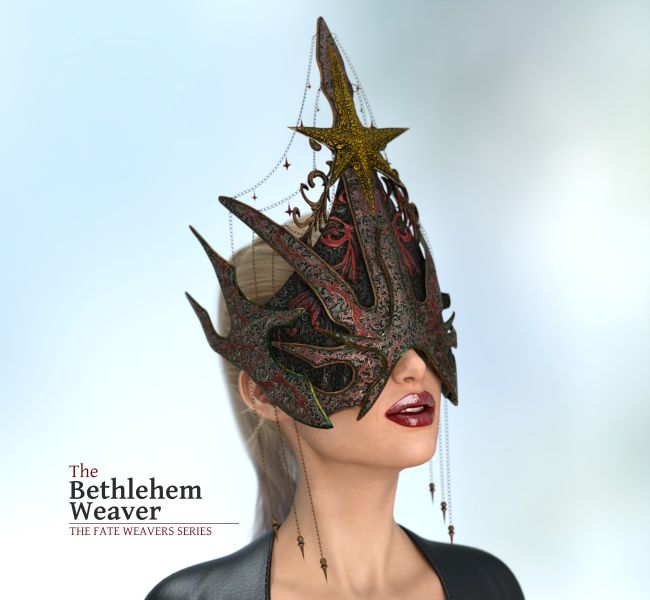
✨ The Bethlehem Weaver: A Sculpted Narrative
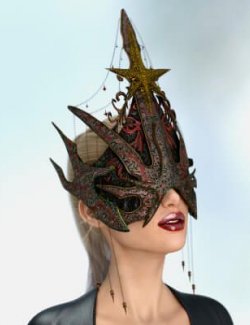
Inspired by winter chronicles and the forged metal of gothic architecture, "The Bethlehem Weaver" is a mask-sculpture designed to narrate stories. Its central design elevates a dark reinterpretation of the Star of Bethlehem: a totemic, almost ancient symbol that does not illuminate a single path, but rather invites us to traverse the longest nights of the solstice with whatever each of us carries.
With the arrival of the winter season and its multiple interpretations, I wanted to create a piece that could contain both the serenity and hope typical of this time, as well as the feelings that become more intimate for many: solitude, nostalgia, or even a certain melancholy or anger. The mask doesn't suggest a single emotion; it functions as a symbolic vessel capable of adapting to the story you wish to tell.
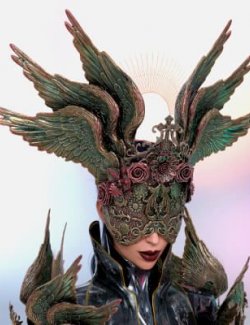
That is why I included a wide variety of materials and finishes. Each version aims to provide a different mood: from the solemn and ceremonial, to the decadent, the broken, the gilded, the cold, or the ritualistic. The idea is to give you a versatile asset that can serve to explore light, shadow, devotion, rebirth, or any other narrative you want to build.
⚙️ This Product Includes:
IRAY Materials:
You will have 2 main groups of materials at your disposal:
- Worn Metal: 23 Materials / Clean Metal: 21 Materials
Emissives: 16 colors + 11 luminosity controls
These materials can be applied to the entire mask or to any of the 7 individual surfaces:
- Lower Layer, Mid Layer, Nose Layer, Sides, Chains, Top Star, MiniStars.
This means you can combine any of the materials or finishes however you like. Additionally, the "MiniStars" can have 16 variants of EMISSIVE colors applied, and their luminosity can be controlled using 11 materials created for that purpose.
Posing and Shaping Sliders:
Posing Tab: Here you will find several controls (see images) to manage the position of each individual chain or group of chains, as well as the MiniStars. With these, every time you pose the character's head, you can accurately control the positioning of these elements.
Shaping Tab: Here you will find controls (see images) to position and/or scale the mask over the character's face.
Note: The mask has its own armature (bones) that control the movement of the elements. The sliders are included to simplify the Posing and Shaping process, but if you prefer, you can use the standard rotation, scale, translation controls, or the "Universal Tool" to "pose" each element/bone directly.
Compatible figures: Genesis 3 Female, Genesis 3 Male, Genesis 8 Female, Genesis 8 Male, Genesis 9
Software: DAZ Studio 4 With IRAY