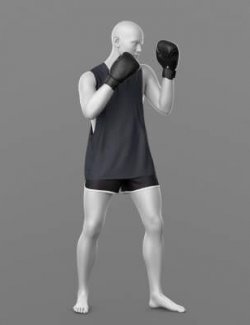
PRODUCT NAME:
Athlete Set
THE PRODUCT CONTAINS:
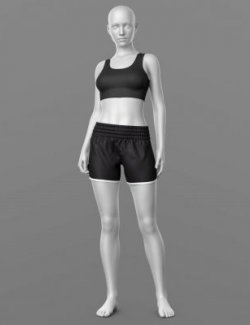
- Shorts for Genesis 8 Female
- Top for Genesis 8 Female
- Number Front for Genesis 8 Female
- Number Back for Genesis 8 Female
- Number Leg for Genesis 8 Female
ARCHIVE CONTAINS FORMATS:
- WP_Female_Athlete_G8 (full set)
- Athlete_Shorts_G8.duf (model)
- Athlete_Top_G8F.duf (model)
- Number_Back_G8.duf (model)
- Number_Front_G8.duf (model)
- Numbers_Leg_G8.duf (model)
- Athlete Set_MAT.duf (material 4 color)
- Numbers_MAT.duf (material 2 color)
- PNG (textures)
TEXTURES (4096 x 4096 .png):
- Set textures PBR (_AO, _BaseColor, _Height, _Metallic, _Normal, _Roughness, _Mask)
COLOR VARIATIONS:
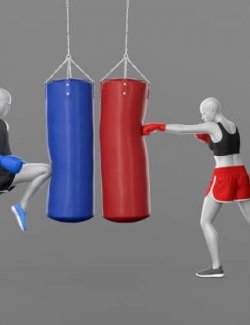
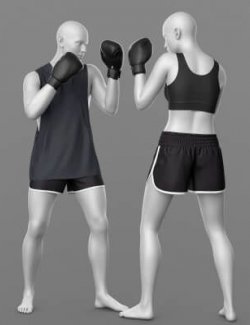
The archive contains 4 color variations of the textures for Shorts. All of them are presented in the preview.
- Red
- Black
- White
- Blue
The archive contains 5 color variations of the textures for Top. All of them are presented in the preview.
- Red
- Black
- White
- Blue
- Colors adjustable via mask
The archive contains 2 color variations of the textures for Numbers. All of them are presented in the preview.
- Color
- Clean
If necessary, you can easily change the color of the model by changing it in the textures _BaseColor or apply a shade to the _BaseColor texture in the DAZ program settings.
INSTRUCTION MANUAL:
Download the Genesis 8 avatar and upload model to the scene.
Apply the desired color of the material.
Creative success to you!
NOTE :
- dForce is configured for the model, this will allow you to apply the model in any pose.
- For the top model, a material has been set up that allows you to make the colors of the top and its trim different (please note, in the workspace only the Base Color is visualized). Just apply the shade you need in the color settings.
- For the Shorts model, a morph has been set up that allows them to be made shorter.
- For the numbers models, a clean shader without logos or designs has been created. This will allow you to apply your own design.
THANK YOU FOR YOUR PURCHASE!