When an animation is played in real time, you often only see individual frames and the animation appears to jump back and forth randomly. This is because the complete creation of a frame usually takes more time than is available at the selected playback rate.
The "Slow Motion Player" offers two additional options for playing your animation:
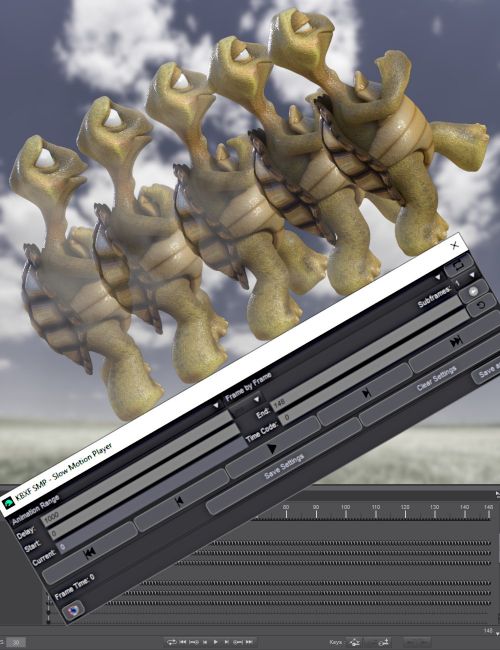
- Frame by Frame - In this mode, the "Slow Motion Player" gives each frame the time it needs to be fully created. This allows you to play your animation as quickly as possible without losing a frame.
- Slow Motion - In this mode, you can even determine the time available for creating a frame yourself.
All modes offer the options "Select playback range" and "Looped / Play once".
In "Frame by Frame" and "Slow Motion" modes, you also have the options "Forward/Backward" and "Play Subframes".
The playback bar, various displays and tooltips, as well as the option to save settings in the scene, round off the appearance and possibilities.
Add the "Slow Motion Player" to your library to ease the creation of your animations.
For questions, suggestions and comments please use the commercial thread in the Daz Forums.
The script is tested in Windows 10 with Daz Studio 4.20.0.2, 4.21.0.5, 4.22.0.16, 4.23.0.1, 4.24.0.3
What's Included and Features
- KBXF Slow Motion Player (.DSE)
- SMP Slow Motion Player
Compatible Software:
Daz Studio 4.24
Install Types:
DazCentral, Daz Connect, DIM, Manual Install