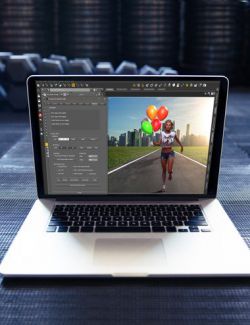
AC Liquid Generator is a streamlined DAZ Studio tool for quickly adding, combining, randomizing, and managing a large collection of liquid wearables from one convenient interface.
Instead of manually browsing through individual presets, choose your Genesis character and build liquid effects directly inside the generator. Filter designs by body area and style, select individual wearables or use Pick Random to create unique combinations, then apply your preferred liquid material.
New liquids default to Water, while materials on already attached liquids can be changed repeatedly without closing the generator.
Key Features
- Supports Genesis 8, Genesis 8.1 and Genesis 9
- Large organized collection of fitted liquid wearables
- Additional Free Position designs for manual placement
- Filter by body area and liquid style
- Pick Random for fast combination generation
- Automatically detects supported liquids attached to the selected character
- Change materials on multiple attached liquids directly from the interface
- Add, re-materialize and remove liquids without repeatedly leaving the generator
- Water selected as the default material for newly added liquids
- Genesis 9 Mouth-aware loading for compatible mouth wearables
- Focus Body viewport control
- Quick Texture Shaded / NVIDIA Iray viewport toggle
- Optional AC Liquid Generator toolbar shortcut
- Supports scenes containing multiple compatible Genesis characters
Included Liquid Materials
Six ready-to-use liquid materials are included:
- Water — default material for newly added liquids
- Blood
- Mud
- Slime
- Soap
- Glow
Organized Workflow
Choose from areas including Face, Mouth, Chest, Abdomen, Back, Hands, Thighs, Glutes and Feet, with additional filtering for different liquid design styles.
The Attached Liquids panel makes it easy to see supported liquid instances already on the selected figure, select multiple items, apply another material, refresh the list, or remove unwanted liquids.
Free Position assets are kept in their own dedicated tab so manually positioned designs don't become mixed with fitted randomized wearables.
Creative Combinations
Layer multiple designs together to build anything from subtle individual effects to dense custom combinations. Random selection makes it easy to explore combinations quickly, while manual selection gives you precise control over the final result.
Coverage Note: Liquid wearables are designed for selected body areas; full-body coverage is not included.
Requirements
- DAZ Studio 6
- Genesis 8, Genesis 8.1 or Genesis 9
DAZ Studio 4.x is not supported by the AC Liquid Generator interface.
A complete PDF user manual and optional toolbar installer/remover are included.