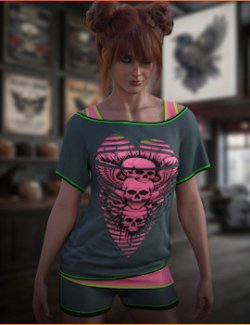
Recolour any clothing item in a couple of clicks, with a plain colour or a tileable pattern, and see it change live in the viewport. Your original textures are never overwritten.
Features:
- Any colour from the colour picker, plus 14 quick colours
- 8 patterns (stripes, pinstripe, plaid, gingham, polka dots, houndstooth, camo, check) in any colour and scale
- Strength slider to blend from the original look to the full effect
- Choose which material zones change
- Dark fabrics like black T-shirts are handled automatically, keeping all fabric detail
- Save any result as a Material Preset
- One undo step; Cancel puts everything back exactly
- Add your own seamless patterns
How to use:
1. Select a clothing item (or the figure to choose from its outfit).
2. Double-click Outfit Recolour (Content Library > Scripts > Pulse Haven > Outfit Recolour).
3. Tick the zones to change.
4. Pick a colour, or switch to Pattern and click one.
5. Adjust Strength, then click Accept.