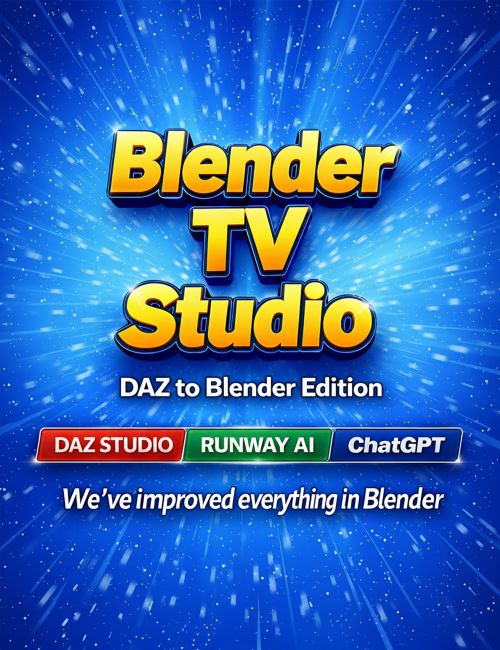
Blender T.V. Studio (DAZ to Blender Edition) is the new name for our system. We rebranded from FAST Animation Studio Tools so we could start charging you less for the add-on. Check the new price above, and you'll agree - you are getting a much more advanced system for a very fair cost. We have added over 20,000 lines of new code since the original DAZ Store release, and the system is now far more powerful.
We also added a full video generator built directly into the add-on that uses your personal Runway API Key. That means you only pay Runway, there are no overages from us, and you get a top-tier image and video generation system built directly into Blender. We’ve got Text-to-Video, Image-to-Video, Video-to-Video, and even Image-to-Image, which uses Google’s Nano Banana image editor and supports up to 3 reference images, plus 4K upscaling.
After you run a fast parallel render using our AWS Parallel Render System, 250 frames in about 12 to 20 minutes, you can add up to 10 seconds of new footage with almost no work. You can add effects, new characters, or new backgrounds to video renders you’ve already made in Blender while leaving the rest of the footage the same. You can even take single-frame renders of perfect Blender scenes and feed them into the Image-to-Video generator to create upgraded video content that strongly uses your original content as reference and helps you create the ultimate videos.
You can also create brand-new images with Nano Banana using up to 3 image references, which can be renders or any image at all, and then use those results to create Image-to-Video generations or anything else you want. The sky’s the limit. We like to take iRay renders from DAZ Studio of the same characters used in our Blender renders and use them to enhance our Cycles renders so they look like iRay, with no extra work involved.
This is a full television production workflow inside Blender! It includes our complete DAZ Studio system. With the combination of our A++ DAZ Studio importer and video generation, you can create highly character consistent AI-enhanced videos inside Blender based on your favorite DAZ Studio characters. That's what we do, we're using AI video generation in conjunction with our already blazing fast DAZ import system to crank out scenes of our TV show faster than you've ever seen.
With 1-Click, import Genesis 3, 8, 8.1, and 9 characters, props, and environments directly into Blender. Mixamo animation, pose preset animation, and lip sync (like Mimic / Azure) can be added during import. You can freely combine face/body animations—for example: Mixamo body + pose-preset face, Azure lip sync for face + pose-preset body, or any combination of the 3 animation import styles—giving you fast, precise control over your character’s performance.
Combined with DAZ Studio's pre-rigged environments and dynamic props, you get a fully built foundation for creating TV-quality scenes.
Creating animation at this level could take weeks. With our optimized workflow, you can output up to two minutes of animation per workday, and more as you learn the system.
Blender TV Studio includes the full Diffeomorphic add-on (300+ DAZ buttons), plus our nearly 800 additional buttons - both small and large comprehensive features - added throughout Blender to speed up every part of production. We like to say it's like you get '50 Blender add-ons in 1' with all of our features. Go ahead and check out the last few promo images to the right and see exactly what we mean.
For tools we do not include, the add-on provides an AI Script Generator with automatic error fixing. Describe what you need, get a working script, and assign it to its own panel button in 1-Click.
We created the Mixamo Pro Add-on from Adobe's version and made it even better. You can now re-add animations to your characters without risk of rig distortion. It also includes a 1-Click Mixamo downloader that lets you download all 2,000 animations at once.
Altogether, this system adds more than 1,000 new buttons to Blender. Most operators include multi-line tooltips that you can toggle on or off. Built-in AI documentation system you can access from Blender header, answers questions about the add-on or Blender itself, that means no wondering how to do Blender tasks or how the add on operates.
Blender TV Studio speeds up every aspect of Blender. Our operators are everywhere in Blender, replacing old workflows and removing inefficiency, and that gives you a smoother, faster, and far more enjoyable production experience.
What's Included and Features
What's Included and Features
- Blender T.V. Studio (DaztoBlender)
-
DAZ Studio to Blender Import
- Daz Studio to Blender import (Genesis 3, 8, 8.1, and 9)
- Import Daz Studio character with Pose Preset
- Import Daz Studio character with Azure Lip Sync
- Import Daz Studio character with Mixamo
- Import Daz Studio character with Mixed Animations
- One-click backup + reimport from panel
- Open or edit character backups in Daz Studio only
- Auto Lip Sync Mapping System
- Open Mixamo button
- Mixamo → Daz Studio Retargeting Panel
- Access all Diffeomorphic website links easily
- Access all Daz Studio website links easily
-
Fast Parallel Render System
- Installs AWS Deadline Studios Add-on 4U
- Take A Simple 2–3 Page Setup Tutorial
- Render 250 Frames in 12–20 Minutes
- You Get Parallel Rendering w/ No Extra Fees
- Perfect for Cycles (Normally Takes Hours)
- Never Wait for Long Renders Again
-
Fast AI Automation Tools
- Automate Tasks in Blender
- Use AI to Generate Scripts in 1 Click
- Detect and Fix Errors Automatically
- Save Scripts as Permanent Buttons
- 25,000-Line Adv. OpenAI System
- Auto Fix Scripts in the Text Editor
- Optimize Text Editor Buttons
- Ask Blender Questions Using AI
- Ask Addon Questions Using AI
- Both Accessible Right on the Header
- Uses Best AI Models to Get Answers
-
Fast Lighting Tools
- Edit Lights with Mouse Wheel Nudge
- Edit All Lights in a Collection
- Edit Individual Lights
- One-Click Multi-Light Setup
- Add Three-Point Lighting Setup
- Parent Three-Point Lights to Object in One Click
- Add Ambient HDRI in One Click
-
Fast Camera Tools
- Transform Cameras with Nudge
- Cycle Cameras Forward
- Cycle Cameras Backward
- Add Camera Centered to View
- Move Current Camera to View
- Move Current Camera to View and Keyframe
- Auto-Resize Camera to View
- Auto-Resize Camera When Cycling
- Easier Camera Selection
- Easier Camera Deletion
- Easier Camera Binding
-
Fast Transform Tools
- All Tools on A Panel
- All Tools on A Floating Panel
- All Tools on The Context Menu
- Transform with Mouse Wheel Nudge
- Auto Toggle Overlays While Transforming
- Pose Mode Bone Nudging
- Camera Position Nudging
- Vertex, Face, and Edge Nudging
-
Fast Animation Tools
- Fast Animation Editing
- Fast Mocap Performance Editing
- Animation Library (save|reimport animations)
- Walk-Cycle Animation Extender
- Suite of Buttons for Manual Animation
- On: Timeline, DS, GE, SE, Sequencer
- Quick Set Start and End Frame
- Quick Jump Start and End Frame
- Jump Forward or Backward by 1–5 Frames
- Auto Toggle Timeline Overlays
- One-Click Editor Switching (ex: Timeline)
- Auto Keyframe Timer (less mistakes)
- Add Audio and Video Button
- Select and Delete Markers Buttons
-
Fast Edit Mode Tools
- Work in Edit Mode with More Precision
- Nudge Transform Vertexes
- Nudge Transform Edges
- Nudge Transform Faces
- Auto Toggle Overlays While Transforming
- Easier Access to Edit Mode Operators
- Easier Access to View Operators
- #1 Click See-Through (Wireframe + X-Ray in one)
-
Auto Lip Sync (like Mimic)
- Create lip sync from audio file
- Use with Daz Studio morphs
- Use with Blender shape keys
- Use with Blender Grease Pencil
- Fast, easy setup
- Add lip sync when importing Daz Studio character
- Add lip sync to Daz Studio character after import
- Lip sync system uses text files like Mimic
- Create those text files in one click
- Fast lip sync animation editing
- Uses Microsoft Azure for super-high accuracy phoneme detection
- More phonemes than Mimic (40 vs 17) # Daz Store representative — is this OK? This is truthful, but Mimic has better automatic head-turn animation. Should I remove this line?
-
Fast Speech Bubble Tools
- Add Beautiful, Cartoony Speech Bubbles in 1 Click
- Add Speech Bubble Text with Your Voice
- Text Auto-Centers Perfectly in Bubble
- Uses Geometry Nodes (easy customization)
- Speech Bubbles Are Animatable and Fully Morphable
-
Multi-Level Context Menu
- 200+ Items on the Menu
- The Menu Is Customizable
- The Menu Color Is Customizable
- Rarely Need Keyboard
- Base Menu Items Include:
- ===============
- 1. Save and Auto Restart
- 2. Full Screen Toggle
- 3. Show Console
- 4. Voice Search for Operators
- 5. Open F3 Menu
- 6. Open Quick Favorites
- 7. Open Default Blender Menu
- 8. Organize Panels
- 9. Restart Blender
- 10. View Selected
- 11. Open Documentation
- ===============
- *See below for more...
-
Multi-Level Context Menu
- Extra context-menu items:
- 1) Show Move: X|Y|Z|XYZ
- 2) Show Rotate: X|Y|Z|XYZ
- 3) Show Scale: X|Y|Z|XYZ
- 4) Show All Move/Rotate/Scale
- 5) Show View Switchers
- 6) Show DAZ Diffeomorphic Links
- 1-click to add these items to the menu
- 1-click to remove them
- Only one pack shows at a time
-
Multi-Level Context Menu
- These are the sub menus...
- To our giant right click menu...
- Each contains new|default tools...
- New items are discussed elsewhere...
- ====================
- Animation Menu|Animation Tools
- Cursor Menu|Cursor Tools
- Edit Menu|Edit Mode Tools
- Extras 1 Menu|New|Default Tools
- Extras 2 Menu|New|Default Tools
- File Menu|File Tools
- Mode Menu|Mode Tools
- Object Menu|New|Default Tools
- Outliner Menu|Outliner Tools
- Parent Menu|Parenting Tools
- Pose Menu|Pose Mode Tools
- Sequencer Menu|Sequencer Tools
- Transform Menu|Nudge Transform Tools
- View Menu|View Switching Tools
- Startup Menu|Startup File Tools
- ====================
-
Fast Header Buttons
- Save File, Preferences, and Scripts
- Open Preferences Panel
- Open Quick Favorites
- Wireframe + X-Ray Toggle
- Set Active Camera Feature
- Add Camera from Viewport
- Cycle Cameras Backward
- Cycle Cameras Forward
- Center Current Camera
- View Selected Object
- Show-Active Outliner|Viewport
- Save and Enter Material Preview
- Toggle N Panel
- Advanced Local Mode+ALM Menu
- Ask A.I. Blender/Add-On Questions
-
1-Click Green Screen Keying
- Key Green Screen in 1-Click
- Video Appears on a Mesh Plane
- Video Syncs to Sequencer Clip
- Edit Plane+Clip as a Single Unit
- Includes Fast Editing Tools
- Includes floating green screen keying panel
-
Features #1
- Append Sounds and Markers into New File
- Append Everything into New File
- Fastest Blender Theme Editor
- Best Auto Save System (Never lose a file)
- 4 Easy-Access Material Properties Buttons
- – Separate
- – Clean Unused Materials
- – Delete Vertices/Edges/Faces
- – Separate and Disable
- 7 New Buttons for Outliner Panel
- – Add and Remove Keyframes for Collections
- – Move to Collection Button
- – Advanced Select and Delete Buttons
- – Rename Button
- – Expand and Collapse Collections
- Bundled Mixamo Pro Add-on
- – Pro Version Updated for Blender 4.4
- – Download All Mixamo Anim in 1-Click!
- – No Distortion When Re-Applying Anim!
- – Better Apply Animation to Control Rig!
- Bundled Diffeomorphic Add-on
- – Official “DAZ to Blender” Bridger!
- – Includes 300+ Powerful DAZ Tools!
- – Top Add-on for Daz Studio Assets!
-
Features #2
- 1-Click Add Laugh Tracks
- Customizable Helpful Beep Alerts
- Advanced Local Mode (Disable not Hide)
- Auto Sets Common Blender Prefs
- Auto Enables Common Add-ons
- Create 3D Text from Voice
- Find Blender Commands with Voice
- Auto Backup TV Scripts to Email
- Auto + Manual Error Reporting
- 3 Customer Feedback Options
- Create Normal Maps from Images
- YouTube Downloader
- Custom Splash Screen Creator
- Print Total Scene Poly Count
- Disable High-Poly Objects
- Auto Keyframe with Shut Off Timer
- Prompt Pose Mode When Select a Rig
- Force Solid Mode (Crash Recovery)
- Force Simplify Mode (Crash Recovery)
- Restart Prompt When Install Add-on
- Fast Windows Search Feature
- Hire a Blender Programmer Button
- Hire a Blender Artist Button
- Better Viewport Render Animation
- Why Can’t I Render Tips
-
Features #3
- Delete All Actions Except Current
- Batch Import FBX Files
- Create Bone List from Selected Rig
- Edit Premade 3D Assets Faster
- Toggle Black | White Icons (Light Themes)
- Viewport Sky Mode (Solid Mode)
- Delete User Prefs + Restart
- Remove Unused Materials Button
- Reduce Scene Lag Button
- Toggle N Panel Visibility
- Save + Backup Startup File
- Delete + Backup Startup File
- Save + Backup Startup File + Restart
- Delete + Backup Startup File + Restart
- GLTF File Cleaner (Remove Empties)
-
The Collection System
- Each collection has 1 animated character+props
- Relocate Collections
- – Move all anim in a collection to any frame
- – Keeps timing offsets perfectly intact
- – Adds markers around anim range
- – Auto-sets visibility keys at markers
- – Keeps scenes fast by hiding inactive characters
- – Great for organizing character anim quickly
- Refresh Collections
- – Sets up ALL collections like Relocate Collections
- – Doesn't move anim. Performs following tasks
- – Rebuilds START/END markers across entire scene
- – Re-applies visibility keys for every collection
- – Auto-hides everything outside its animation span
- – Keeps viewport responsive in heavy scenes
- – Prepares scenes much faster for rendering
-
Specifications:
- Supported OS: Windows 11. macOS support coming in Febuary.
- Supported Daz Studio Versions: 4.20+
- Supported Blender Versions: 4.5+ (latest recommended)
- Supported Blender Render Engines: Eevee & Cycles
- Supported Daz Content: Genesis 3, 8, 8.1, 9
- *(Genesis 1,2 Support is limited. Tell us if you need!)
Compatible Software:
Daz Studio 4.24
Install Types:
DazCentral, DIM, Manual Install