Iray Silhouette Presets preview image 0Iray Silhouette Presets preview image 1Iray Silhouette Presets preview image 2Iray Silhouette Presets preview image 3Iray Silhouette Presets preview image 4Iray Silhouette Presets preview image 5Iray Silhouette Presets preview image 6
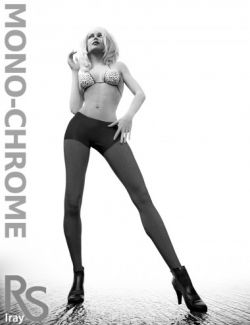
Instantly render cool-looking silhouettes right in DAZ Studio... Load the scene, add your characters, and hit render!
Tweak shadow softness, darkness, adjust its position with the Environment Sun Light and adjust the background color to your taste.
Add camera DOF, play with bloom effects, and additional vignette effects.
All from super easy and fast-to-use preset icons.
Get this fab set and turn your renders into magnificent black & white art today!
What's Included and Features
-
Iray Silhouette Presets (.DUF)
- Load Scene
- Camera Preset
- Main Iray Render Preset
- Iray Render Preset RESET (without changing image proportions)
- 16:9 1920 x 1080 framing preset
- 10:13 1000 x 1300 framing preset
-
Scenes:
- Load Blue Background
- Load Grey Background
- Load Orange Background
- Load Pink Background
- Load Red Background
- Load White Background
- Load Yellow Background
-
Iray Render Presets
- Bloom 1 OFF
- Bloom 2 Subtle
- Bloom 3 Intense
- Shadow Intensity 1 Very Low
- Shadow Intensity 2 Low
- Shadow Intensity 3 Medium
- Shadow Intensity 4 Max
- Shadow Sharpness 1 Soft
- Shadow Sharpness 2 Low
- Shadow Sharpness 3 Medium
- Shadow Sharpness 4 High
- Shadow Sharpness 5 Max
- Vignette 1 OFF
- Vignette 2 Low
- Vignette 3 Medium
- Vignette 4 High
- Vignette 5 Max
- Shadow Black Level 1 Grey
- Shadow Black Level 2 Normal
- Shadow Black Level 3 Pitch Black
- Shadow Black Level 4 Pitch Black Extreme
- Rim Light Intensity 1 Low
- Rim Light Intensity 2 Low (Default)
- Rim Light Intensity 3 High
Compatible Software:
Daz Studio 4.24
Install Types:
DazCentral, Daz Connect, DIM, Manual Install
Daz3d
Where to buy:
https://www.daz3d.com/iray-silhouette-presets