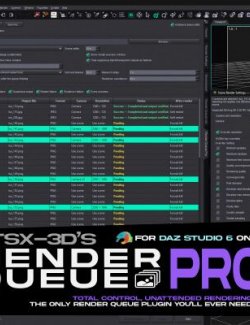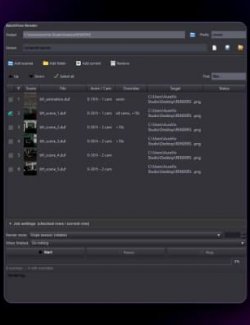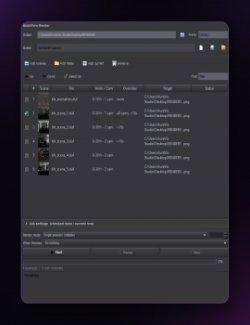
Render Queue Pro renders a list of saved `.duf` scenes in batch: build a queue, click
Start, and it loads each scene, renders it to an image file using that scene's own
settings and camera, and moves on to the next, while you do something else.
────────────────────────────────
Why Render Queue Pro
- Set it and forget it.
Queue any number of scenes and let them render overnight or while you work on the next shot.
- Cross-platform.
It is a DAZ Script, not a native plugin, so it runs the same on Windows, macOS, and Linux.
- One product, both versions.
Works in DAZ Studio 4 and DAZ Studio 6.
- No babysitting.
The queue never stalls on a popup: a missing file is skipped, output names never collide, and the viewport is lightened so it does not fight Iray for the GPU.
- Remembers everything.
The queue, the output settings, and per-item status survive between sessions; finished items stay done, so a re-open does not re-render them.
────────────────────────────────
Everything it can do
The queue
- Add saved `.duf` scenes from disk, or add the currently open scene.
- Reorder (up / down), remove, clear, reset a single item, or reset the whole queue.
- Renders only the pending items; finished items persist as done across sessions.
- No duplicates: the same scene is not added twice.
Output
- Renders each scene to a file (PNG or JPG), using the scene's own render settings and
saved camera.
- Output folder, plus a name pattern with `{scene}` and `{index}`.
- Never overwrites: if a name exists, a numeric suffix is added automatically.
Feedback
- Per-item status and render time, right in the queue.
- A preview panel showing the selected scene's thumbnail, and the scene being rendered
as the queue runs, so you never render the wrong file.
Robust by design
- Skip-on-error: a bad item is marked failed and the queue keeps going.
- The viewport is set to a light draw style during rendering to free the GPU.
────────────────────────────────
Compatibility
- DAZ Studio 4.x and DAZ Studio 6.
- Windows, macOS, and Linux
What you get
- A DAZ Studio script, installed via DAZ Install Manager (DIM) or manually.
- The Render Queue Pro dialog, with its own icon in the content library.