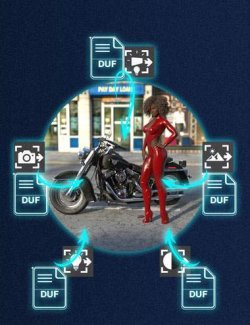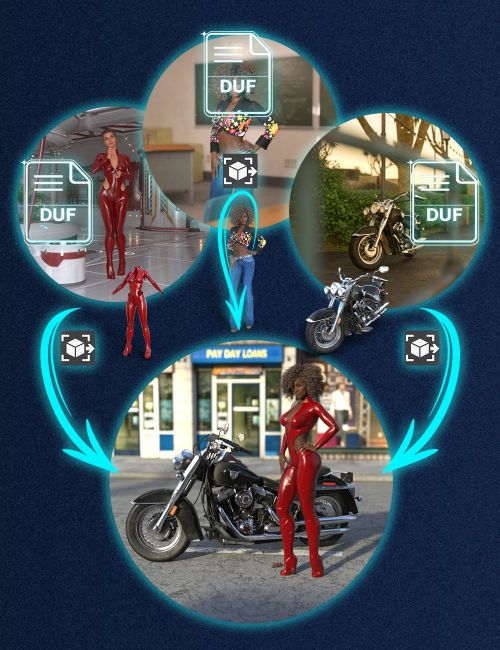
V3D Extract and Append: Figures and Props is a workflow tool designed to recover and append geometry-based scene content directly from saved DAZ Studio Scene and Scene Subset DUF files into your current working scene.
Instead of loading an entire saved scene just to recover a coffee pot, an outfit, a dressed figure, or a few useful props, this tool lets you extract and append only the content you actually want to reuse. Each compatible Scene or Scene Subset becomes a practical, reusable source of figures, props, outfits, and other geometry-based content for your current scene.
This product focuses on geometry-based content only. It is made to append figures, dressed figures, props, outfits, hair, clothing pieces, and similar reusable scene elements from larger saved scenes or subsets.
The script analyzes one or more compatible Scene or Scene Subset files, lists the extractable geometry nodes it finds, and lets you decide exactly what to load. You can load selected roots only, or include their child nodes as well. This makes it possible to append a single prop, a fully dressed figure, a figure without its clothing, reusable outfit pieces, hair, or a larger hierarchy of props depending on your needs. Genesis figures are automatically loaded with their standard conforming elements when needed, such as eyes, inner mouth, and eyelashes.
Remember the perfect outfit you built for a figure in a previous scene? Simply select your figure and reload the clothing pieces you want. The loaded items will automatically fit it, and DAZ Studio will launch AutoFit when needed if the generations do not match.
Two transform handling modes are available. You can either reset additional transforms after load for a clean placement workflow, or preserve the relative transforms stored in the original scene structure. This gives you more control when reusing scene content, outfits, parented props, or subsets extracted from larger scenes. It also makes it possible to reload Smart Props directly in place when the selected parent in your current scene matches the parent used in the source DUF file.
The tool does not create new assets in your library and does not permanently rebuild content on disk. It reads existing saved scene data, generates temporary filtered DUF data for the selected content, and loads that content into your current scene. Your original files remain unchanged.
This is especially useful when:
- You want to recover a figure, prop, or outfit from an older saved scene;
- The item you need is buried inside a larger Scene or Scene Subset.
- You do not want to interrupt your current workflow just to reopen another file;
For best results, launch the product from a toolbar button or custom action. You can then work from files selected in Content Library or Smart Content, or manually browse to the Scene or Scene Subset files you want to use. Non-compatible files, such as Pose Presets or Render Presets, are automatically filtered out, so you can stay focused on usable scene content.
Because the final step is still a normal DAZ Studio load process, standard DAZ Studio behavior may still apply, including conforming prompts, missing asset dialogs, AutoFit behavior when relevant, or other load-time notices depending on the source content.
V3D Extract and Append: Figures and Props turn older saved scenes and subsets into practical, reusable content sources for your current work. Intuitive, easy to use, and workflow-efficient, it helps you recover the figures, props, outfits, hair, and other geometry-based content you want, so you can stay focused on building your scene.
What's Included and Features
- V3D Extract and Append: Figures and Props: (.dse)
- Scripts:
- Open Documentation
- Install Me First
- Figures and Props Extract and Append
Compatible Software:
Daz Studio 4.24, Daz Studio 2025 / 6.X
Install Types:
DazCentral, Daz Connect, DIM, Manual Install